How to get more Google reviews (the rules and what works)
How to get more Google reviews in Australia: the review link and QR code, when and how to ask, what Google and the ACCC rules forbid, and how to reply.
By the Omniwink team · 20 October 2026 · 10 min read
Listen to the summary· 2 min

The best way to get more Google reviews is to ask every customer, soon after a good job, and make it a single tap or scan for them. Most happy customers never think to leave a review unless someone asks, so asking is the whole game.
The catch is the rules. Google bans rewards for reviews, Australian consumer law bans fake or edited ones, and a few well-meant shortcuts break both. This guide covers how to get your review link, when and how to ask, what you must not do, and how to reply to what comes in. It is general information, not legal advice.
How do you get more Google reviews?
Google's own advice is short. It says to remind customers to leave reviews, and that you can ask them to visit a Google link or scan a QR code [1]. Reviews show next to your Business Profile in Maps and Search, so they are one of the first things a new customer sees about you [1].
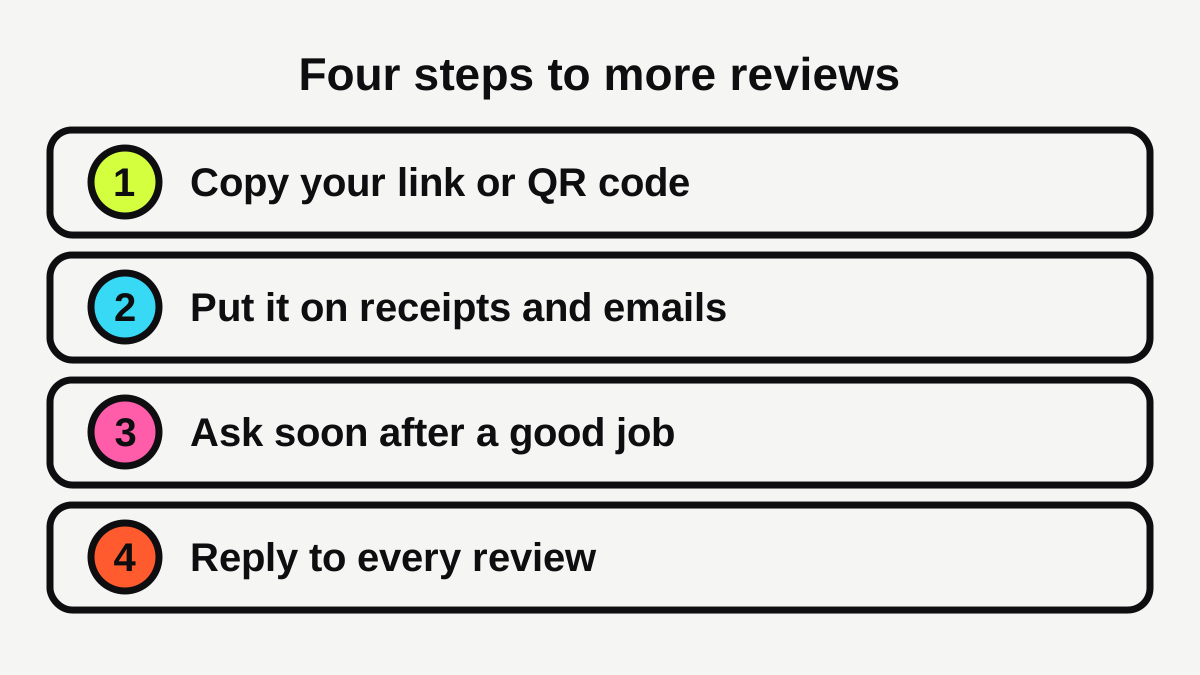
In practice that gives you four steps:
- Get your link or QR code. It takes two minutes.
- Put it where customers already are. Receipts, emails, the counter.
- Ask at the right moment, in your own words.
- Reply to every review so people see you care.
Do this for every customer, not just the ones you think will say nice things. We come back to why in the rules section below.
Where do you find your Google review link and QR code?
Reviews only work well on a complete, verified listing, so if you have not set yours up yet, start with our Google Business Profile checklist.
Google's help page gives the steps. They only work on a computer browser, because QR codes cannot currently be generated on mobile [2]:
- Go to your Business Profile.
- Select Read Reviews, then Get more reviews.
- Copy the link, or right-click the QR code and save the image [2].
Google suggests using the link or code on receipts, in thank-you emails, at the end of a chat, and on a printed QR code displayed in your store. You can also share it by email, WhatsApp or a Facebook post [2].
Customers need a Google Account to leave a review, though Google says they can create one using a non-Gmail email address [1]. If you would rather not fiddle with the Profile screens, our free Google review link tool makes a link and a printable card for you.
Which placement works best?
We could not find a trustworthy Australian study that ranks these, so be wary of anyone quoting exact response rates. A sensible way to think about it is to match the placement to how you meet customers:
| How you meet customers | Easiest place for the link |
|---|---|
| At a counter or front desk (cafes, salons, gyms) | A printed QR code by the till, plus a card in the bag |
| In their home or on site (tradies, cleaners) | A text or email after the job, and a line on the invoice |
| By appointment (clinics, accountants) | The follow-up email after the visit |
| Online only | The end of the chat, the thank-you email or the confirmation page |
Pick one or two and do them every time. Consistency beats cleverness here.
When and how should you ask?
Ask soon after the job is done and the customer has told you they are happy, while the experience is fresh. The best moment is often when they say thanks. If you wait a week, many people simply forget.
What can you say?
Keep it honest and simple, and ask for feedback, not for stars. Google's page on creating a link says your request should ask for honest feedback and should not mention or tie any benefit to leaving a review [2]. For example:
- In person: "Glad that went well. If you have a minute, a Google review would really help us. Here's a card with a QR code."
- By text or email: "Thanks for choosing us today. If you'd like to share how it went, here is our review link: [link]. Honest feedback helps us improve."
How often can you ask?
Once is enough, with at most one gentle reminder. Google's page gives no limit on how often you can ask [1], but repeated nudges annoy customers and do not help you. If someone does not review after one reminder, let it go.
Can a system do the asking for you?
Yes, if you are busy. A simple reminder that goes out after each completed job is often enough. If you already send texts or emails to customers, add the link to the one that thanks them. Our automations service can set this up, but a calendar reminder and a saved message do the same job for a small business. Speed matters here too: our guide to how fast to reply to a new lead covers the same habit on the enquiry side.
What are the rules on asking for reviews?
Two sets of rules apply: Google's, and Australian consumer law. Where they differ, follow the stricter one, which is usually Google's.
What does Google ban?
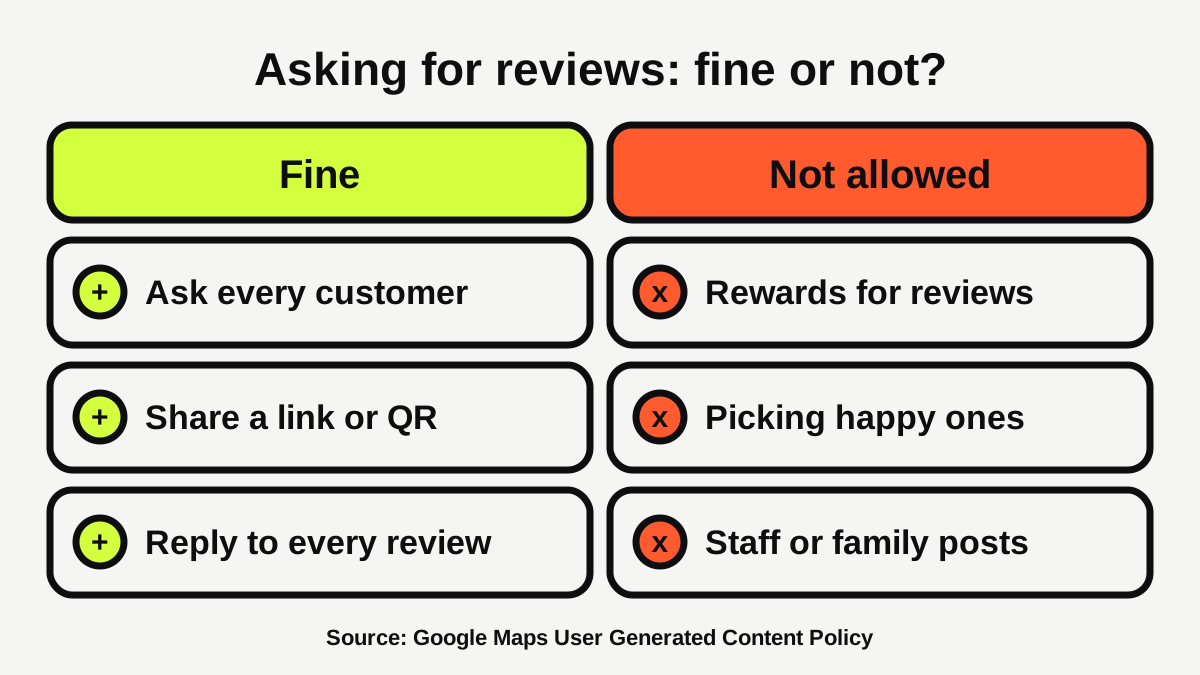
Google's policy lists several things merchants may not do:
- Offer incentives, "such as payment, discounts, free goods and/or services", in exchange for reviews, revisions or the removal of negative reviews [4].
- "Discourage or prohibit negative reviews, or selectively solicit positive reviews" from customers [4].
- Post or ask for content with a conflict of interest, which Google says may include current or former employment, so reviews written by your staff are covered [4].
You are still free to "solicit or encourage the posting of content that does represent a genuine experience", as long as no incentive is attached [4]. Google's help page puts the incentive rule bluntly: offering free or discounted goods or services in exchange for reviews is "strictly prohibited" [1].
Can you offer a discount for a review in Australia?
On Google, no. The Australian rules are a little looser on paper, but they do not rescue you from Google's ban. Business.gov.au says incentives such as discounts or free gifts are allowed under the Australian Consumer Law only if you offer the incentive for both positive and negative reviews and clearly disclose it [5]. It says rewarding only positive reviews is treated as fake or misleading [5]. The WA Consumer Protection Commissioner says the same: any incentive should go to all customers and be clearly disclosed [6].
So the safe line for Google reviews is simple: no rewards, no draws, no "show us your review for a free coffee". Our deeper guide on whether you can offer a discount for a review covers the grey areas. You can thank people warmly. You just cannot pay for it.
What counts as a fake review?
Business.gov.au says it is illegal under the Australian Consumer Law to create or arrange a fake or misleading review [5]. A review is treated as fake or misleading if:
- it comes from someone who never used your product or service [5];
- it comes from your family, employees or paid people without disclosing that connection [5];
- it is removed or changed by you, or someone else, after a customer posts it [5].
The WA Commissioner adds that this covers positive reviews you post yourself and negative reviews of competitors from people who never used their services [6]. Do not ask friends to "help out" with a few five-star reviews. It is not worth the risk to your business.
What if you run a health business?
Health practitioners have extra rules. Ahpra says the National Law does not allow testimonials or purported testimonials to be used to advertise regulated health services, while comments about customer service or communication style are not testimonials [7]. It also says advertisers are not responsible for removing testimonials published on platforms they do not control, but should take care if they choose to engage with reviews on third-party websites [7]. If you run a clinic, check Ahpra's page before you reply to a review that mentions treatment, and do not copy reviews onto your own site. Our pages for dentists and physios cover the wider picture.
How should you reply to reviews?
Google recommends replying to reviews, including negative ones. Replies should be short, personal and timely, and not promotional [1]. Business.gov.au also advises acknowledging and responding to every review [5]. Google checks replies against its content policies before they are posted, usually within about 10 minutes, though some take up to 30 days [3].
What should you say to a good review?
Thank them by name, mention something specific from the job, and stop there. No sales pitch, no discount code.
What should you say to a bad one?
Business.gov.au suggests responding promptly with a carefully drafted reply, staying professional and offering to continue the conversation by phone or email [5]. It also suggests explaining what happened, offering a solution where possible, and following up after you resolve the issue, since the customer may update their review [5]. Take the heat out before you write. A calm, short reply is read by every future customer, not just the reviewer. For a step-by-step reply formula, see our guide to how to respond to a bad Google review.
Never offer a reward to change or remove a review [1]. And do not delete or edit what you can control, because a review that is changed after posting can be treated as misleading [5].
What if a review looks fake or breaks the rules?
If you believe a review violates Google's content policies, you can flag it [3]. For a fake negative review, the WA Commissioner suggests contacting the platform, identifying the suspect reviews, explaining why and giving evidence, and replying publicly to correct the record [6]. Beware of scammers who post a fake one-star review and demand payment to change it. The WA Commissioner says never to pay, because it only encourages further extortion, and to report it to the platform [6].
What are the common mistakes?
- Only asking happy customers. Google's policy prohibits selectively soliciting positive reviews [4]. Ask everyone, and give unhappy customers a way to reach you directly as well.
- Offering a discount for a review. Prohibited on Google [1].
- Having staff post. A conflict of interest under Google's policy [4].
- Asking once a year in a rush. A steady trickle looks natural. A sudden burst of reviews looks odd to customers.
- Ignoring replies. Google recommends replying to all reviews [1].
What to do next
- Copy your review link and save the QR code from your Business Profile on a computer [2].
- Print the QR code and put it at the counter, on invoices or in your follow-up email.
- Decide one moment to ask, and one sentence to say.
- Ask every customer for a fortnight, then see what comes in.
- Reply to every review, good or bad, in a few calm lines [1][5].
- Skip rewards, staff reviews and picking who to ask [4].
Reviews are one part of showing up well on Maps, so it helps to check the rest of your profile too. Our free website scan is a quick place to start, and our growth service can handle the ongoing work if you would rather hand it over. Our guide to what makes a local business website get enquiries covers how to show your reviews to people once you have them.
Make leaving a review one tap.
Our free Google review link generator gives you a direct link and a QR code for your Business Profile, ready to text, email or print.
Sources
- [1]Tips to get more reviews · Google Business Profile Help · accessed 20 October 2026
- [2]Create a Google link or QR code to request reviews · Google Business Profile Help · accessed 20 October 2026
- [3]Manage customer reviews · Google Business Profile Help · accessed 20 October 2026
- [4]Prohibited & restricted content · Maps User Generated Content Policy Help (Google) · accessed 20 October 2026
- [5]Online reviews · business.gov.au (Australian Government) · accessed 20 October 2026
- [6]From the Commissioner: The good, the bad and the fake - what to know about online reviews · Consumer Protection, Government of Western Australia · accessed 20 October 2026
- [7]Testimonials: Understand the requirements · Ahpra (Australian Health Practitioner Regulation Agency) · accessed 20 October 2026