How to use Google Business Profile photos to get more calls
Which Google Business Profile photos to add, the size and quality rules, and how to check whether they bring more calls, for Australian local businesses.
By the Omniwink team · 2 November 2026 · 9 min read
Listen to the summary· 2 min

The photos on your Google Business Profile help customers decide whether to call you. They let people see your shopfront, your work and your team before they pick up the phone. Google doesn't promise more calls or a higher ranking from photos, so the honest aim is to help the right customers choose you, then check your numbers.
The rules are simple. Add real, well-lit photos of your business, in the types and sizes Google asks for, and keep checking what customers add. Photos only appear once your profile is verified [1][2]. This guide covers which Google Business Profile photos to add, the technical limits, the privacy rules for photos of people, and how to see whether any of it is working.
What Google Business Profile photos should you add?
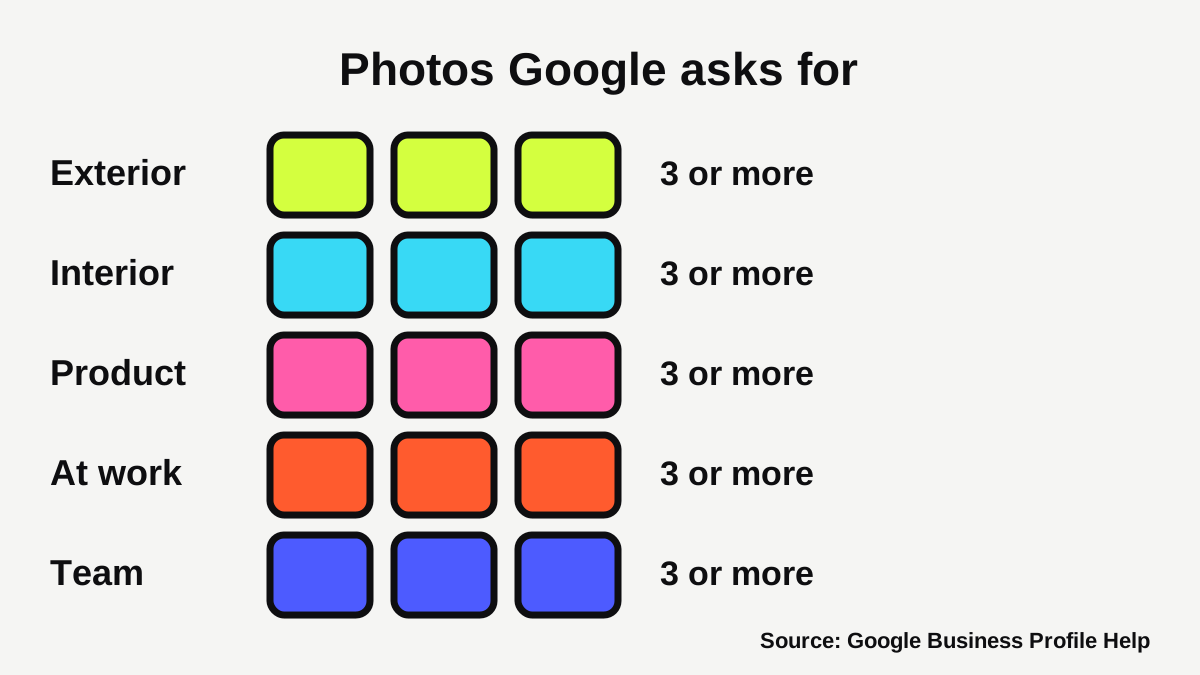
Google gives a shot list. It asks for at least three photos in each of these types, where they apply to your business [1]:
| Photo type | What Google says to show | Good for |
|---|---|---|
| Exterior | Your business from each direction customers might approach, at different times of day | Shopfronts, clinics, gyms, cafes |
| Interior | What it's like to be inside as a customer, and the atmosphere | Salons, cafes, clinics |
| Product | Popular items, with even lighting | Retail, cafes, florists |
| Photos at work | Your team serving customers and your specialty services | Tradies, cleaners, mechanics |
| Team | Management and staff in relaxed, personable shots | Every business |
Google also lists food and drink photos (at least three of popular items) and common areas such as a spa, gym or breakfast room (at least one per area) [1]. Hotels get a rooms category too [1].
What should a tradie photograph?
If you travel to customers, you may not have a shopfront. Use the "at work" and "team" types well instead. Real examples of what that can look like:
- A finished job, such as a new tap, a tidy switchboard or a fresh garden bed, taken in good light.
- You or your crew at work in clean, branded shirts.
- Your branded van or ute, parked somewhere recognisable.
- Your tools laid out, ready for a job.
Ask before you photograph anything that identifies a customer or their home. We cover privacy further down.
What should a clinic, salon or cafe photograph?
Customers want to know what the place feels like before they arrive. Show the front door (so they can find you), the waiting area or room, and the people who will greet them. A cafe should show its popular dishes and drinks. A salon can show its chairs, products and finished styles. A gym can show its common areas, such as the weights floor or studio [1].
What are Google's rules for photo size and quality?
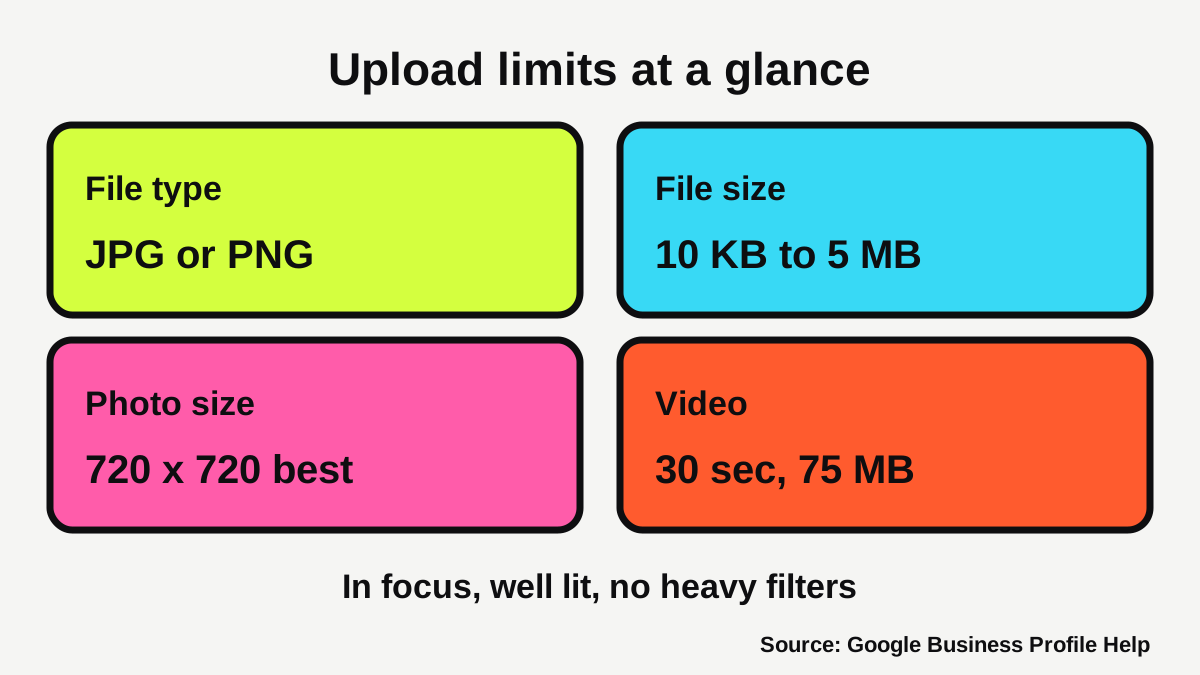
Google sets out the technical limits [1][2]:
- Format: JPG or PNG.
- File size: 10 KB to 5 MB.
- Resolution: 720 px by 720 px recommended, and 250 px by 250 px minimum.
- Video: up to 30 seconds and 75 MB, at 720p or higher [2].
On quality, Google says photos should be in focus and well lit, with no significant alterations, excessive filters or AI, and should accurately represent your business [1].
Your own phone is enough. Most phones take photos far bigger than 720 px, so size is rarely the problem. Light and focus are. Wipe the lens, shoot in daylight, and don't use a filter.
Why do real photos matter more than polished ones?
Because Google asks for photos that "accurately represent the business" [1]. A photo of someone else's kitchen or a stock image of a smiling team doesn't do that. It also sets expectations you can't meet, and that's a problem for any business advertising to customers. Google also says you are responsible for making sure your imagery follows all applicable laws and regulations [3].
How do the cover photo and logo work?
Your cover photo sits at the top of your profile. Google's advice is to set one "that best represents your business" [2]. Your logo helps customers recognise you on Google [2].
To add or change either, open your profile, click Photos, then choose Add a cover photo or Add a logo. To replace one, use Change cover or Change logo [2].
Two things catch people out:
- The logo doesn't show up. Google says to check that your profile includes a name, a valid street address, categories, a phone number and opening hours [2].
- Google swaps your cover. If your chosen cover photo is low quality, Google says a user-submitted photo may be selected instead [2]. A sharp, well-lit cover that is clearly your business is the best defence.
Our guide to the Google Business Profile checklist for small business covers the rest of your profile, including the name and category rules that decide whether your photos show at all.
What happens when customers add photos?
Customers can add their own photos to your profile, and Google says you can request removal of customer-added photos [2]. Keep an eye on what appears, and use that request if a photo is wrong or shouldn't be there.
Every upload is reviewed against Google's photo and video policies. The status shows as Pending, Not approved or Live, and a flagged photo is one that has violated the policies [2]. Google says its prohibited and restricted content policies apply to every submitted photo and video, with extra criteria on top [3].
That's one more reason to keep your own photos fresh. Customers see a mix of what you upload and what others add, so adding good photos regularly means your best work is easy to find. Replies to reviews help too, and our guide on how to get more Google reviews covers asking customers properly.
Do you need permission before you post photos of people?
Often, yes, or at least it is good practice. Photos and video are personal information when a person's identity is clear or can reasonably be worked out from the image [5]. The Office of the Australian Information Commissioner (OAIC) says consent isn't always required to collect an image of an identifiable person, but because people are often sensitive about published photos, especially online, it recommends seeking their express consent and explaining what the image will be used for and who can see it [5].
A few practical rules from the OAIC [5]:
- Only collect images of identifiable people where it is reasonably necessary for your business.
- Tell people who you are, how the image is being taken and what it is for.
- Take particular care with children, and speak to a parent or guardian first.
- If you later use a photo for a purpose the person wasn't told about, get new consent, unless they'd reasonably expect that use.
For a staff photo, ask your team before you post it, and tell them where it will appear. For a customer in a cafe or salon, the simplest approach is to ask, and take the photo down if they change their mind.
What about health businesses?
Take more care. The OAIC says a patient photo is personal information if the patient is reasonably identifiable, that images showing health information are sensitive, and that providers will usually need consent to collect and use or disclose identifiable images [6].
Ahpra's advertising rules add a second layer. Section 133(1)(c) of the National Law prohibits advertising that uses testimonials, and Ahpra says advertising must not create an unreasonable expectation of beneficial treatment [7]. Ahpra also says it cannot advise on whether specific advertising complies, and recommends independent advice from a legal adviser or indemnity insurer [7]. For a physio, dentist or clinic, that means sticking to photos of your premises, equipment and team, and leaving out patient images and results. Our page for physios and dentists shows how other clinics present themselves.
This is general information only, not legal advice.
How do you know if your photos are working?
Google's Performance section shows what customers do on your profile. It lists views, searches, directions, calls, website clicks, messages and bookings, and only shows the ones that apply to your business [4]. Two details matter:
- Calls count clicks on the call button, and you need a phone number on your profile to track them [4].
- Directions is the number of people who requested directions, and Google has adjusted the count to handle repeated taps, cancelled requests and spam [4].
To open it, go to your Business Profile on Search and click Performance, or in the Google Maps app tap Business, then See more next to Performance. Pick a time period and apply [4]. You can also download a report from Business Profile Manager [4].
Here's a fair way to test your photos:
- Note your calls, directions and website clicks for the last three months.
- Add your new photos, all in one go.
- Look again three months later, with the same period length.
- Remember that other things change too, such as the season, your reviews and any holidays.
Photos alone won't explain every change, and Google's pages don't promise a result. But if you add real photos and your calls and directions don't move, the problem may sit elsewhere, such as your reviews, your hours or your website. Our free Omniwink scan checks your profile and site together, and our guide on how to rank in Google Maps for your suburb covers the other things that decide who shows first.
What to do next
- Check your profile is verified. Photos only show once it is [1][2].
- Take three photos each of your exterior (if you have one), your work or products, and your team.
- Take them in daylight, in focus, with no filters.
- Ask anyone clearly shown for their consent, and keep children and patients out of the frame [5][6].
- Upload them in Photos, set a cover photo and add your logo [2].
- Note your Performance numbers today, then check again in three months [4].
- Look at customer photos each month and request removal of any that shouldn't be there [2].
If you'd rather someone else looked after your profile, our growth service covers local search. If you work in a trade, our pages for plumbers and electricians show how local customers find businesses like yours.
How visible is your business?
Get a free visibility score, three fixes and three posts in about a minute.
Sources
- [1]Tips for business-specific photos on your Business Profile · Google Business Profile Help · accessed 2 November 2026
- [2]Manage your Business Profile photos & videos · Google Business Profile Help · accessed 2 November 2026
- [3]Business Profile photos, videos & posts content policy · Google Business Profile Help · accessed 2 November 2026
- [4]Understand your Business Profile performance & insights · Google Business Profile Help · accessed 2 November 2026
- [5]Posting photos and videos · Office of the Australian Information Commissioner (OAIC) · accessed 2 November 2026
- [6]Taking photos of patients · Office of the Australian Information Commissioner (OAIC) · accessed 2 November 2026
- [7]Guidelines for advertising a regulated health service · Ahpra (Australian Health Practitioner Regulation Agency) · accessed 2 November 2026