How to rank in Google Maps for your suburb
How to rank in Google Maps for your suburb: what Google says decides local results, what you can change, and a simple plan for tradies, clinics and shops.
By the Omniwink team · 24 October 2026 · 8 min read
Listen to the summary· 2 min
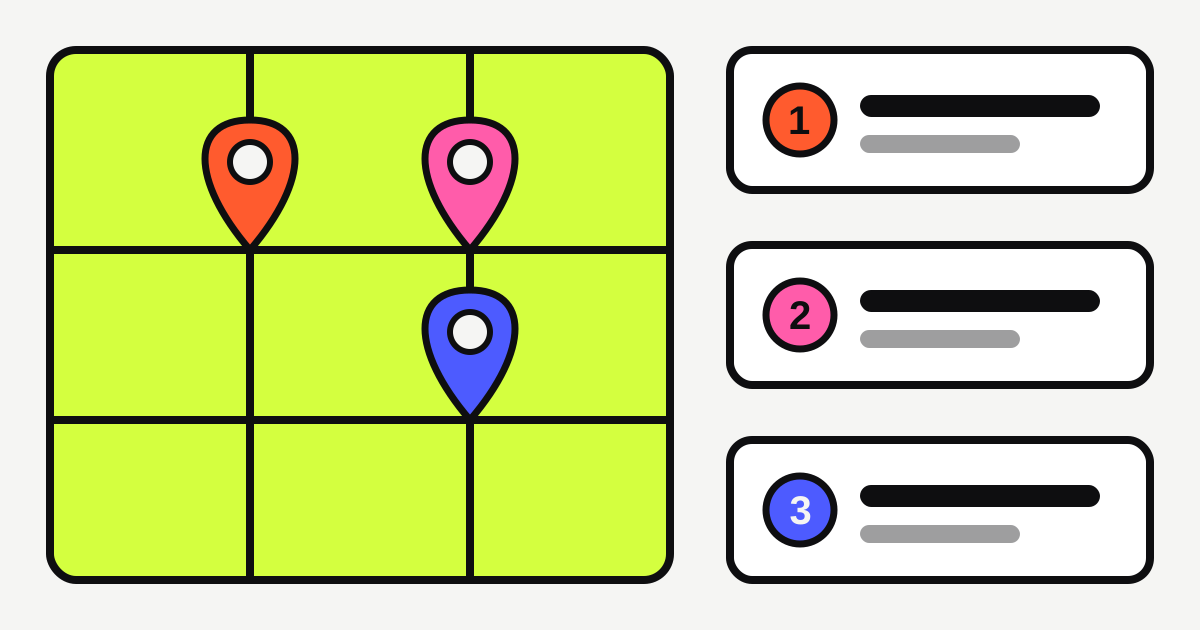
You can't pay to rank higher in Google Maps. Google says "there's no way to request or pay for a better local ranking" [1]. But you can influence two of the three things it says it uses to order local results: how well your profile matches the search, and how well known your business is [1]. The third, distance, you can't change.
So the plan to rank in Google Maps for your suburb is practical: set up your profile properly, tell Google which areas you serve, keep it complete, add real photos and earn honest reviews. This guide covers each step, and is honest about what won't work.
What does Google use to rank businesses in Maps?
Google says local results are mainly based on three factors: relevance, distance and prominence [1].
- Relevance is how well your profile matches what someone is searching for. Google says detailed and complete business information helps [1].
- Distance is how far your business is from the searcher. If the person hasn't shared their location, Google uses what it knows about it [1].
- Prominence is how well known your business is. Google says this is based on things such as links from other websites, and the number and rating of your reviews [1].
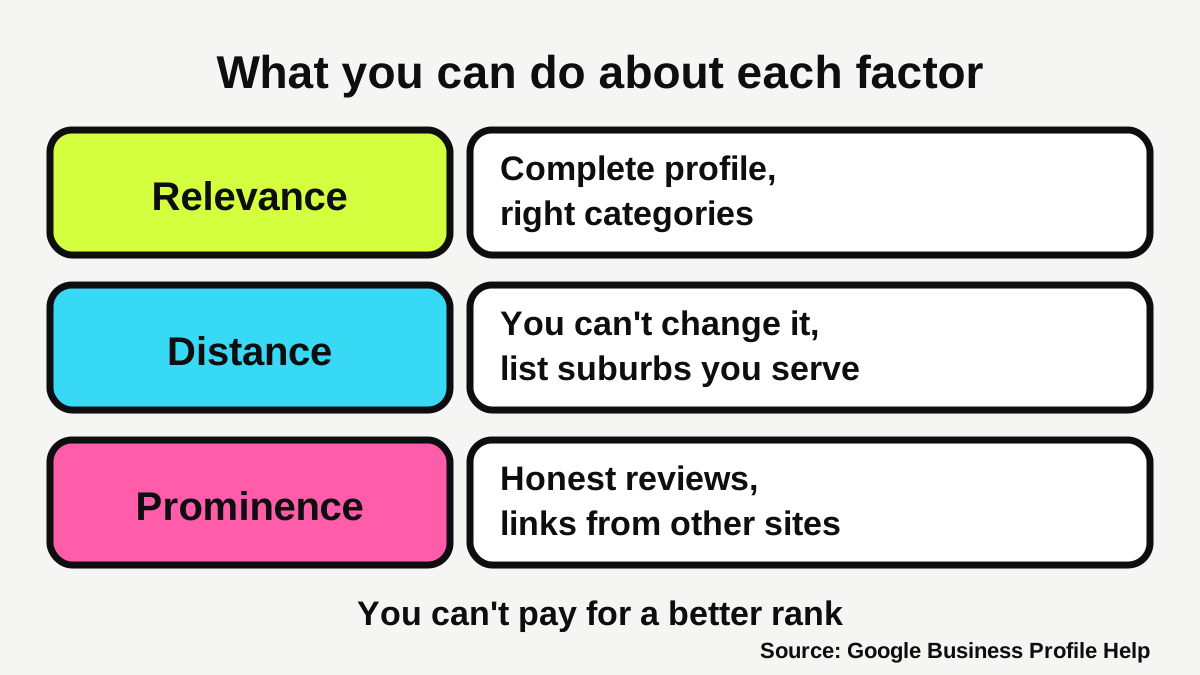
That is the whole game. If you want a longer walk through setup, our Google Business Profile checklist covers the basics step by step. This guide picks up from there and focuses on getting seen in the suburbs around you.
Can you rank in a suburb you don't have an address in?
Partly. Because distance is measured from the person searching [1], a customer standing in the next suburb is closer to a business in that suburb than to you. You will rarely win every search in every suburb, and no honest provider can promise it.
What you can do is tell Google where you work. If you travel to customers, Google says you should have one profile for your central location with a designated service area [2]. Your service area shows customers where you provide your products and services, and helps people find your profile [3].
How do you set your service areas?
Google's rules for service areas are specific [3]:
- You can have up to 20 service areas, based on cities, postcodes or other areas you serve.
- You can't set your service area as a radius around your business.
- The overall area shouldn't be more than about 2 hours of driving time from your base.
- Approved edits may take up to 48 hours to show on your profile.
Pick the suburbs you genuinely want to work in, and ignore the ones you'd turn down. Twenty well-chosen areas beat a stretched list.
Should you make a profile for every suburb?
No. Google's guidelines say service-area businesses should have one profile for the central office or location [2]. Do not create extra profiles with made-up addresses or virtual offices. Google does not accept P.O. boxes or mailboxes at remote locations as an address [2], and breaking its guidelines can get your profile suspended [2].
If you want to be found in more suburbs, the safe route is a page on your own website for each area you really serve, which we cover in our guide to what pages a tradie website needs.
What should your profile say to match a search?
Relevance is the factor you control most directly. Google's advice is to keep your business information complete and up to date, including your address, hours, category and attributes [1].
What name and categories should you use?
Use your real-world name. Google says including unnecessary information in your business name isn't permitted and can lead to suspension [2]. That means no "Best Plumber Camberwell" unless that is genuinely your registered name.
For categories, Google says to use as few as possible to describe your overall core business, and not to use categories solely as keywords [2]. Choose your main category carefully, since it is how Google decides which searches you match.
Where do suburbs come in?
Not in your name. They come in through your service areas [3], your website pages, and your reviews, where customers often mention what you did and where. Our pages for plumbers, electricians and cleaners show how local customers describe the work they search for.
How do photos help you show up?
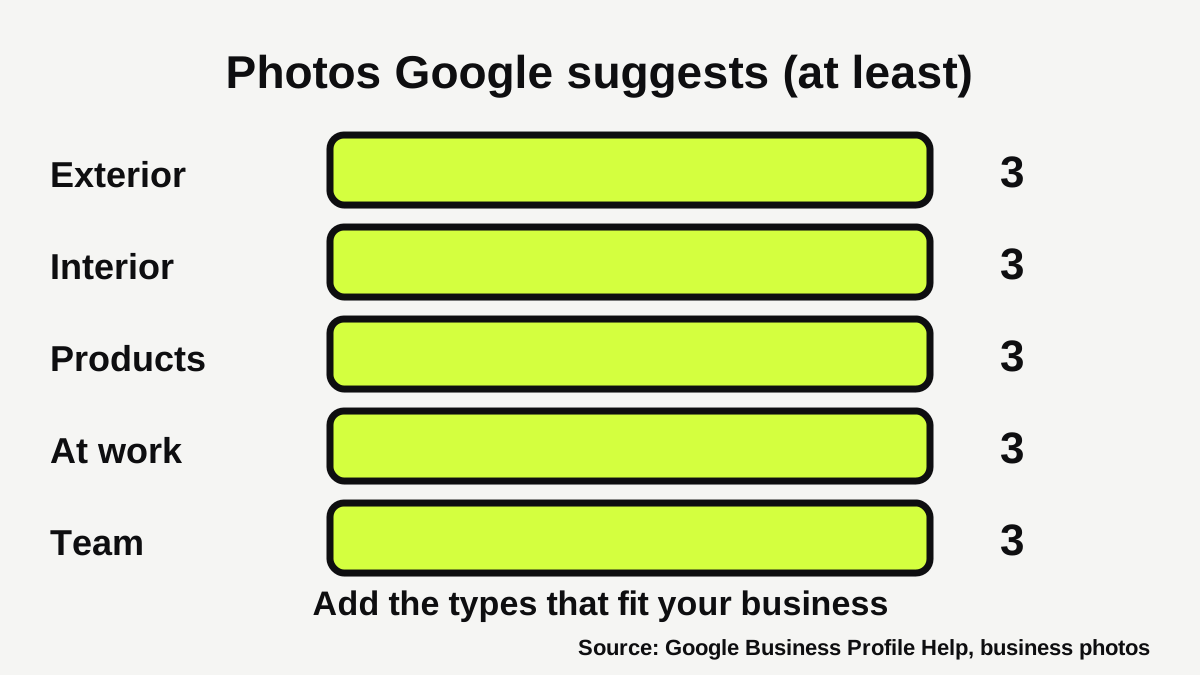
Google lists adding photos and videos among its tips for a better local ranking [1]. It also gives detailed advice on what to add [4]:
| Photo type | Google's suggested minimum |
|---|---|
| Exterior | 3 photos, from each direction customers approach |
| Interior | 3 photos |
| Products | 3 photos of your most popular items |
| At work | 3 photos of your team providing services |
| Team | 3 photos of management and staff |
Photos should be sharp and well lit, with "no significant alterations or excessive use of filters or AI" [4]. Files should be JPG or PNG, between 10 KB and 5 MB, and Google recommends 720 by 720 pixels [4]. Photos only appear once your business is verified [4].
For a tradie, that means finished jobs and the ute. For a cafe or salon, it means the shopfront, the room and the product. Skip stock photos.
How do reviews affect your ranking?
Reviews feed prominence. Google says the number of reviews and the rating are factors, and that responding to reviews shows you value feedback [1]. So a steady flow of genuine reviews helps, and so does replying to each one.
The rules matter. Google does not allow merchants to offer incentives, "such as payment, discounts, free goods and/or services", in exchange for reviews [5]. It also doesn't allow businesses to selectively solicit positive reviews or discourage negative ones [5]. And it says merchants should not pressure users to leave reviews while on the premises [5]. Ask every customer, the same way.
Our guides on how to get more Google reviews and how to respond to a bad Google review cover the asking and the replying. The free Google review link generator gives you a link and QR code to hand out.
Does your website help you rank in Google Maps?
Google names links from other websites as one input to prominence [1], so your own site matters as well as your profile. Two habits make it work harder.
First, make sure your profile links to a page that matches what the customer searched for. A plumber's profile should lead to a clear plumbing page with a phone number you can tap, not to a slow home page with nothing on it. Our guide to what makes a local business website get enquiries explains how to turn those visits into calls.
Second, keep the details identical everywhere: name, phone number and service areas on your profile, your website and your other listings. Google asks for a precise, accurate address or service area [2], and a mismatch makes it harder for you and for customers to tell which business is yours. If you want your site built to support local search, see our websites service.
What does this look like for different businesses?
The same factors apply to everyone, but the effort lands in different places.
- Tradies and mobile services (plumbers, electricians, cleaners, detailers) usually have no shopfront customers visit. Hide the home address, set service areas by suburb or postcode, and lean on photos of finished jobs [2][3][4].
- Clinics, salons and cafes have a fixed location, so distance does a lot of the work. Your gains come from complete details, strong photos of the inside and outside, and a steady flow of reviews [1][4]. Health businesses should keep review replies general and never confirm whether someone was a patient.
- Agents, accountants and brokers often serve a wide area from one office. Set the areas you genuinely work in, and make sure your reviews mention the service, not only the person.
Whichever you are, the honest ceiling is set by distance. A profile that is complete, accurate and well reviewed gives you the best chance in the suburbs close to you, and a fair chance in the ones around it.
What won't help you rank?
- Paying a provider for a guaranteed first position. Google says you can't pay for a better local ranking [1].
- Stuffing your name with suburbs or services. It risks suspension [2].
- Fake addresses and extra profiles. Google's guidelines call for a precise, accurate address or service area [2].
- Buying or swapping reviews. Google prohibits incentives for reviews [5].
- Expecting overnight results. Google keeps its ranking details confidential [1], and changes take time to settle.
How do you check where you actually rank?
Open Google Maps on your phone, search your main service with a suburb (for example "electrician" and the suburb name), and see where you appear. Then try it from a different spot nearby. Because distance is part of the ranking [1], you may see different results depending on where you stand, so don't read too much into one search.
Do this once a month and write down what you see. A free Omniwink scan also shows how your profile and website look to a customer.
What to do next
- Search your business name and main service on your phone and note where you appear.
- Check your name and categories against Google's rules [2].
- If you travel to customers, set up to 20 service areas by suburb or postcode, with no radius [3].
- Fill in hours, details and attributes [1].
- Add real photos of the outside, inside, products and your team at work [4].
- Ask every happy customer for a review, and reply to each one [1][5].
- Re-check in a month.
If you'd rather have someone handle it, our growth service covers local search for businesses like yours.
How visible is your business?
Get a free visibility score, three fixes and three posts in about a minute.
Sources
- [1]Tips to improve your local ranking on Google · Google Business Profile Help · accessed 24 October 2026
- [2]Guidelines for representing your business on Google · Google Business Profile Help · accessed 24 October 2026
- [3]Manage your service areas for service-area & hybrid businesses · Google Business Profile Help · accessed 24 October 2026
- [4]Tips for business-specific photos on your Business Profile · Google Business Profile Help · accessed 24 October 2026
- [5]Prohibited & restricted content · Google Business Profile Help · accessed 24 October 2026