Small business website speed: how fast should it load?
How fast should a small business website load? Google's targets in plain English, how to check your site for free, and the fixes that matter most.
By the Omniwink team · 14 October 2026 · 9 min read
Listen to the summary· 2 min
A small business website should show its main content in 2.5 seconds or less, respond to taps and clicks in 200 milliseconds or less, and stay still while it loads. Those are Google's "good" targets for website speed, and they are measured on the 75th percentile of visits, which means the slower end of real visits and not just your best day on fast wifi [1].
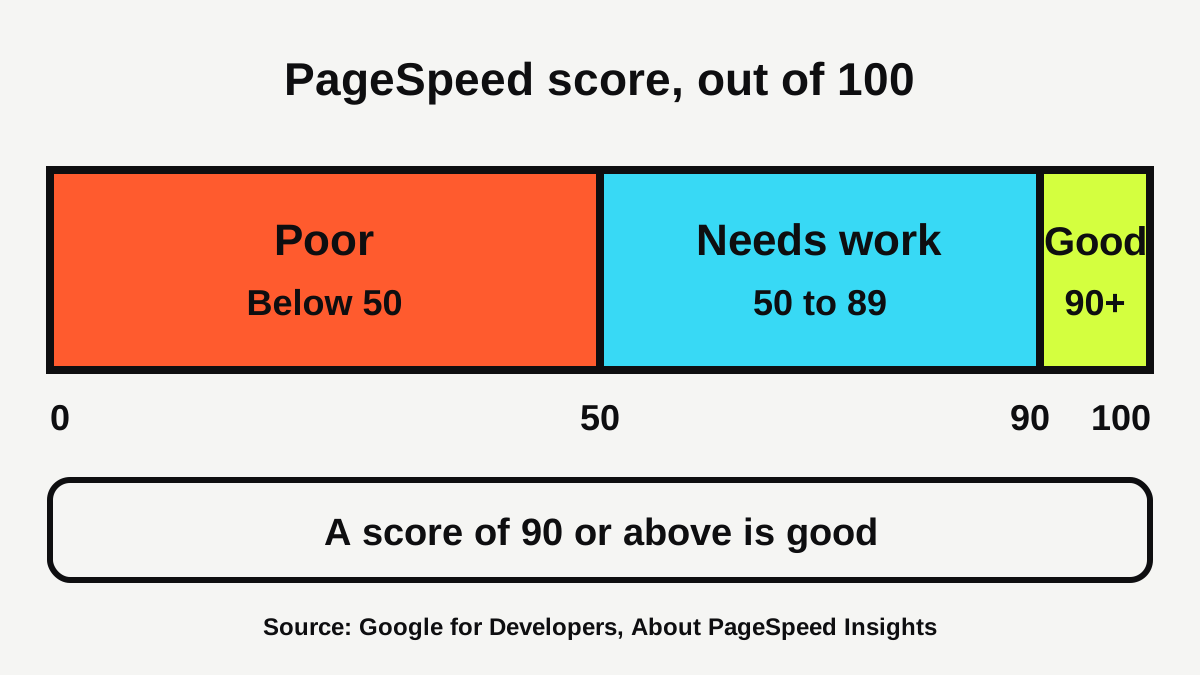
You do not need to guess where you stand. Google's free PageSpeed Insights tool gives your page a score out of 100, and a score of 90 or above is considered good [2]. This guide shows what the numbers mean, how to check your site in a few minutes, and the handful of fixes that matter most for a local business.
How fast should a small business website load?
Google breaks speed into three measures called Core Web Vitals. Each one describes something a customer would notice, and each has a "good" target [1].
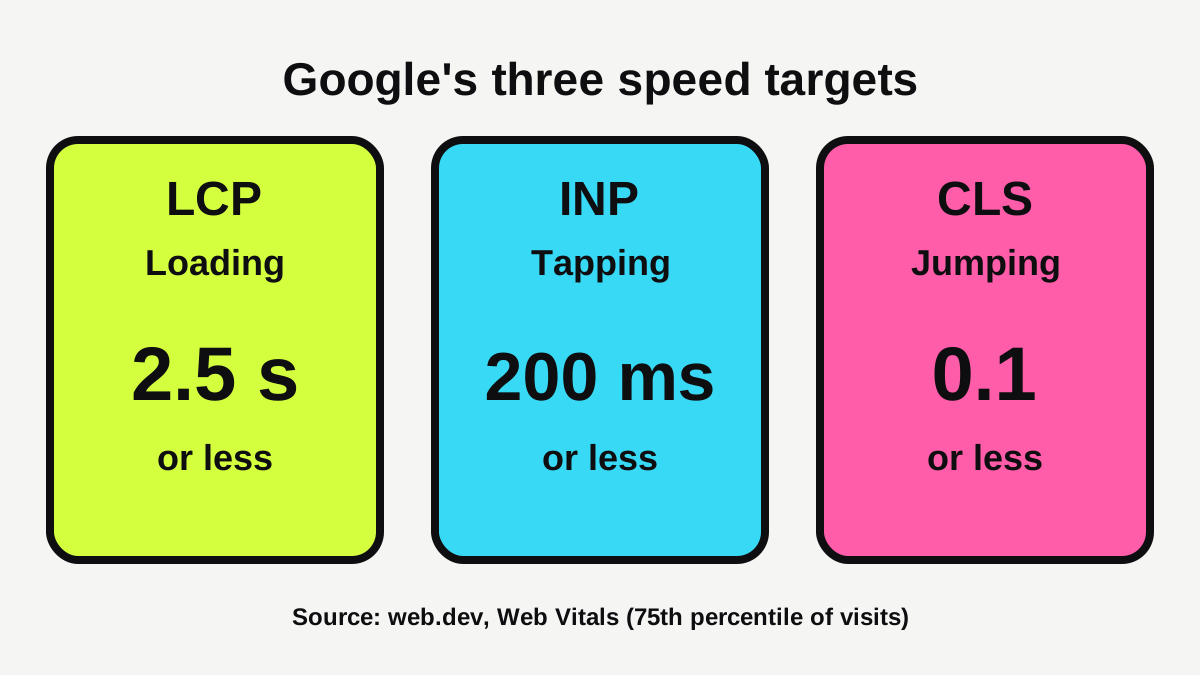
| Measure | What the customer notices | "Good" target |
|---|---|---|
| Largest Contentful Paint (LCP) | How soon the main content appears | 2.5 seconds or less [1] |
| Interaction to Next Paint (INP) | How quickly the page reacts when they tap | 200 milliseconds or less [1] |
| Cumulative Layout Shift (CLS) | Whether things jump around as the page loads | 0.1 or less [1] |
For INP, 200 to 500 milliseconds needs improvement, and anything over 500 milliseconds is poor [6].
Google measures these at the 75th percentile of page loads, split by mobile and desktop [1]. In plain words, your site should hit the target for at least three visits in four. A site that is quick for you in the office but slow for visitors on patchy mobile coverage will not pass.
Does website speed matter for a local business?
Yes, for two reasons: people and search.
People. Google and SOASTA studied real data from a large sample of mobile shopping sites. Visits where people left (bounced) had a median full page load time about 2.5 seconds slower than visits that stayed [3]. The same article quotes a figure that roughly 40% of consumers leave a page that takes more than three seconds to load, which Google attributes to another source [3]. These are older findings about online shops, mostly from the United States, so treat them as a guide to human behaviour, not a promise about your business. A customer searching for a plumber or a dentist on their phone is usually in a hurry, and a page that stalls gives them a reason to try the next result.
Search. Google says its ranking systems use Core Web Vitals [7]. It also says good scores do not guarantee top rankings, and that chasing a perfect score only for search may not be the best use of your time [7]. Search always tries to show the most relevant content, even when the page experience is poor, but when many pages are useful for a query, a great page experience can help [7].
So speed is not a magic switch. It is a hygiene factor: a slow site loses people and gives up small advantages, while a fast site with weak content still will not win. That is why speed sits alongside the pages and content covered in our guide to what pages a tradie website needs.
How do you check your website speed for free?
The simplest tool is PageSpeed Insights, a free Google tool. Here is how to use it.
- Go to PageSpeed Insights and paste in your home page address.
- Wait for the report, then look at the mobile results first. The Australian Government advises designing your website to work on mobiles as well as desktop computers [9].
- Read the field data at the top if it appears. This is real visitor experience gathered over a 28 day period [2].
- Then read the lab data, a simulated test that is useful for debugging but may miss real-world problems [2].
- Work through the suggestions the report lists.
The tool shows a score out of 100. It treats 90 or above as good, 50 to 89 as needing improvement, and below 50 as poor [2].
Why might there be no field data for my site?
Small local sites often get too few visits for Google to report real-user figures. When a page lacks enough data, the tool may fall back to data for the whole site, and if there is none you will only see the lab test [2]. That is fine. Use the lab results to find fixes, and re-test after you change something.
What else should you test?
Speed is one part of a working site. The government also recommends testing before you launch, including trying different browsers and devices, checking for broken links and menu items, and making sure customers can navigate the site [9]. It suggests continuing to monitor how your website performs against your goals once it is live [9]. Our free website scan is a quick place to start.
What slows down a small business website?
Most small sites are slowed by a few common problems. Google's guidance on the main slow spot, the time to show your biggest image or heading, breaks the delay into causes you can act on [4].
Huge images
Large photo files are slow to download. Google's advice is to serve images at an appropriate size, in modern formats, and compressed [4]. A photo straight off a phone or camera is often far bigger than the space it fills on your page. Resize it before you upload.
The wrong images loading late
Your main banner image or heading should load first. Google says the main image needs to be discoverable in the page's HTML, and warns "Never lazy-load your LCP image" [4]. Lazy loading is a setting that delays pictures until a visitor scrolls to them. It is great for photos further down the page, but Google advises using it only for images outside the first screen [8]. Many builders switch it on for every image, which can slow the one that matters most.
A slow server or too many redirects
A slow server response can make a 2.5 second load hard or even impossible to reach, and common causes include multiple redirects and visitors being far from the server [4]. Google's fixes include cutting redirects, serving cached content from servers closer to your visitors, and speeding up server processing [4]. Ask your web person or host about those.
Heavy scripts, chat widgets and add-ons
Scripts and add-ons that run while the page loads can delay it and make taps feel sluggish. Google's advice for responsiveness is to limit long tasks on the main thread and defer work that is not needed straight away [6]. For a local business, that often means removing the extras: old tracking codes, plugins you no longer use, a chat box nobody answers, or a social feed that loads for every visitor.
Pictures and embeds that make the page jump
If images have no size set, the browser does not leave room for them, and the page jumps down as they arrive. Google recommends always including width and height on images and videos, and reserving space for ads and embeds [5]. Late-swapping fonts can also move text around [5].
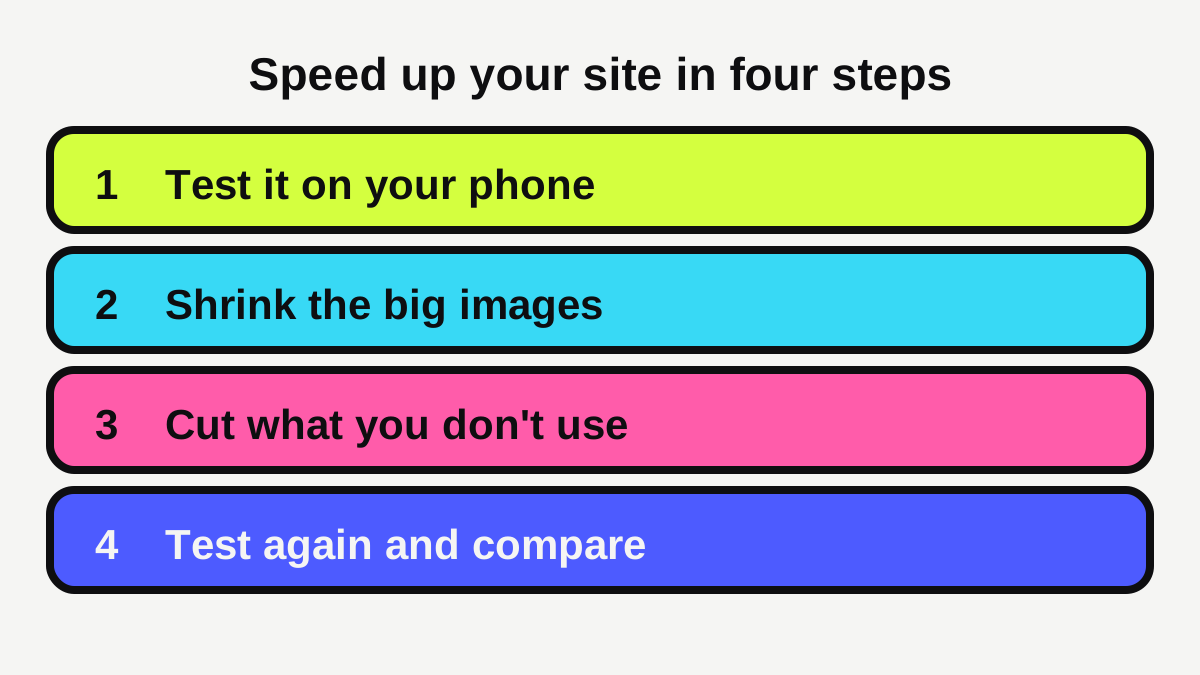
How do you speed up your site in order?
Fix the biggest wins first. This order works for most small business sites.
- Test and write down the numbers. Record your mobile score and your LCP, INP and CLS values so you can compare later.
- Shrink images. Resize and compress your largest photos, starting with the home page.
- Fix the first screen. Make sure the main banner image is not lazy loaded [4][8].
- Remove what you do not use. Delete old plugins, apps and widgets.
- Set image sizes. This stops layout jumps [5].
- Talk to your host or developer if the page still waits a long time before anything appears [4].
- Test again and compare with step 1.
If your site is built on a website builder, you may have fewer controls than on a custom site. Our guide to choosing between a website builder and a web designer explains the trade-offs, and our guide to what a small business website costs in Australia helps you plan a rebuild if fixes are not enough. You can also use the website cost calculator to estimate a budget.
Is a faster website worth paying for?
It depends on how slow yours is. If your report shows a mobile score in the green and your own phone test feels quick, leave it alone and put your effort into clear pages (see our guide to what makes a local business website get enquiries) and a Google Business Profile that is up to date. If your site scores below 50, which Google calls poor [2], and customers regularly mention that it is slow, a fix is worth the money.
Most of the work is small: resizing images, removing unused add-ons and setting image sizes. Those jobs usually take a web person a short time rather than a full rebuild. A rebuild only makes sense when the theme or builder itself is the problem. Ask for a before and after test of the same page so you can see what you paid for.
What should you do next?
A short checklist you can finish this week:
- Run your home page through PageSpeed Insights and note the mobile score.
- Open your site on your own phone on mobile data, not wifi, and see how it feels.
- Resize any photo that is far bigger than the space it fills on the page.
- Remove one plugin, widget or tracking code you do not use.
- Check that each image has a size set and that your top banner is not lazy loaded.
- Re-test and note the improvement.
- Put a reminder in your calendar to re-test every few months, and after any big site change.
Remember that speed supports your pages, it does not replace them. Google says relevance still comes first [7]. If you run a trade, our page for electricians shows what customers in your industry look for, and if you would like help building or fixing a quick, clear site, see our website service.
Ready for a website that brings in work?
Fixed prices, a private preview, and the balance only when you're happy.
Sources
- [1]Web Vitals · web.dev (Google) · accessed 14 October 2026
- [2]About PageSpeed Insights · Google for Developers · accessed 14 October 2026
- [3]Why marketers should care about mobile page speed · Think with Google · accessed 14 October 2026
- [4]Optimize Largest Contentful Paint · web.dev (Google) · accessed 14 October 2026
- [5]Optimize Cumulative Layout Shift · web.dev (Google) · accessed 14 October 2026
- [6]Optimize Interaction to Next Paint · web.dev (Google) · accessed 14 October 2026
- [7]Understanding Google Page Experience · Google Search Central · accessed 14 October 2026
- [8]Browser-level image lazy loading for the web · web.dev (Google) · accessed 14 October 2026
- [9]Set up a business website · business.gov.au (Australian Government) · accessed 14 October 2026