What pages does a tradie website need?
A tradie website needs a home page, one page per main service, service areas, reviews, an about page and a contact page. Here is what goes on each and why.
By the Omniwink team · 12 October 2026 · 9 min read
Listen to the summary· 1 min
A tradie website needs six core pages: a home page, a page for each main service, a service areas page, a reviews or past work page, an about page and a contact page. That is enough to turn a visitor into a phone call or a quote request.
The Australian Government's business website lists the same building blocks: contact details or a contact form, an "about us" page, descriptions of your services, customer reviews and testimonials, and frequently asked questions [1]. Many small sites stop at a home page, and this guide shows what to add.
Below is what each page does, what goes on it, and the extras worth adding once the basics are solid.
What are the core pages every tradie website needs?
Think of the site as a set of answers to the questions a customer asks before they ring: Do you do my kind of job? Do you work in my area? Can I trust you? How do I reach you?
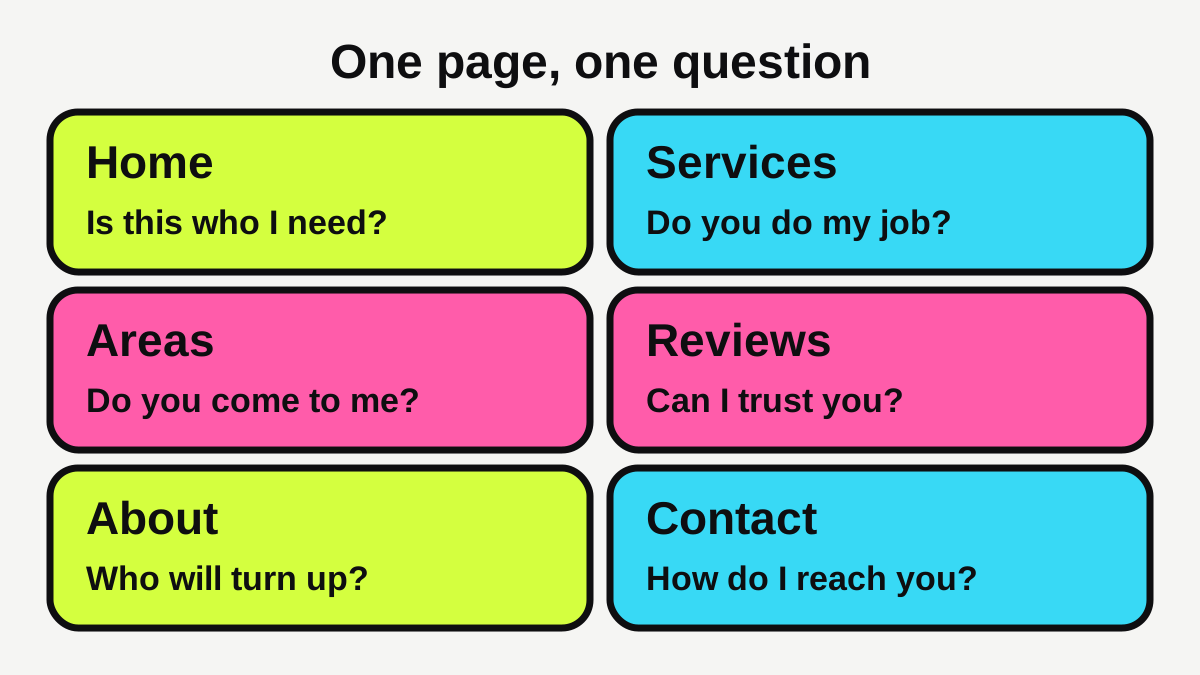
| Page | The question it answers | What goes on it |
|---|---|---|
| Home | "Is this who I need?" | What you do, where, your phone number, one or two proof points |
| Services (one page each) | "Do you do my job?" | What the job involves, when to call, how you quote |
| Service areas | "Do you come to me?" | Suburbs and regions you cover |
| Reviews or past work | "Can I trust you?" | Genuine reviews, photos of finished jobs |
| About | "Who will turn up?" | Your name, licence, experience, photo |
| Contact | "How do I reach you?" | Phone, form, hours, area |
The home page
Keep it short and clear. Say what you do and where, put your phone number where it can be tapped, and link to your main services. The government advises putting the most important information first [1]. For a tradie, that is usually "what you do, where you work and how to call".
One page for each main service
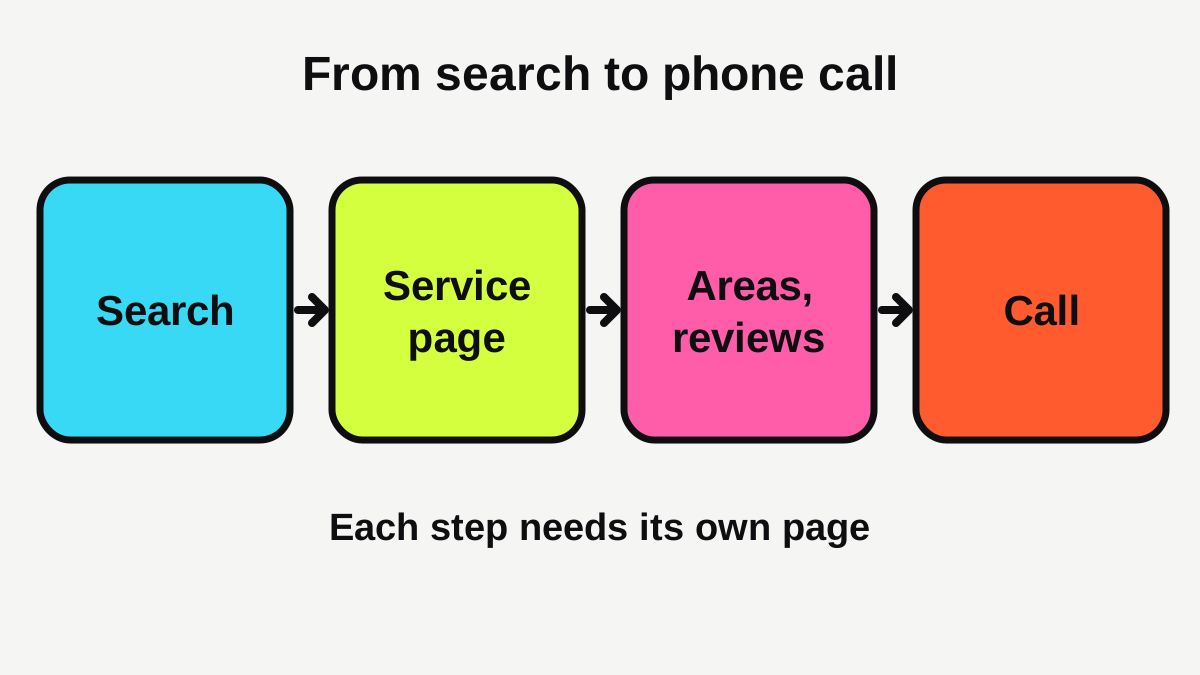
This is the page most tradie sites skip, and it is the most useful. Someone searching for "blocked drain repair" or "switchboard upgrade" wants a page about that job, not a general home page. Google's own guide says a good page title is unique to the page, clear and concise, and accurately describes the contents [2]. A separate page per service lets you do that properly.
If you offer ten services, you do not need ten pages on day one. Start with the three or four jobs that bring in most of your work and make the money you want.
The contact page
Make it hard to miss and easy to use. The government suggests contact details or a contact form [1]. Offer both, plus your hours and the area you cover. Make sure the phone number is a tap-to-call link on mobile. For more on turning visitors into calls, see our guide to getting enquiries from a local business website.
What should a service page say?
A good service page reads like you explaining the job to a customer on the phone. Aim for 300 to 600 words. Cover:
- What the job is and the common reasons people call.
- What is involved from first call to finished work.
- How you price it: fixed quote, hourly rate, or inspection first. Explain what changes the price.
- What you need from the customer, such as access, photos or a site visit.
- A clear next step: call now, or request a quote.
Write in plain words and use headings and short paragraphs so people can find their way around. Google advises clear, well organised content written for people rather than search engines [2]. Add a few photos of your own work, and describe each in the image's alt text. Google explains that alt text is a short, descriptive piece of text that explains the relationship between the image and your content [2].
How do you show where you work?
Customers want to know you will come to their suburb. A service areas page answers that, and also helps search engines understand where you work.
List the regions and suburbs you cover in plain language. If you have a base, say so, but you do not need to publish your home address. Google's Business Profile rules take the same view: a business that travels to customers should have one profile for its central location with a designated service area, and can hide its address (a plumber working from home is Google's own example) [7].
Keep the details consistent everywhere. Your name, phone number and website on the site should match your Google Business Profile. Google says the name should match the real-world name customers see on signage, websites and stationery, and should not be padded with taglines, phone numbers or service descriptions [7].
Do you need a page for every suburb?
Not to begin with. One strong service areas page beats a dozen near-identical suburb pages. Add a suburb page only when you have something real to say about it, such as the kinds of homes, common problems or jobs you have done there.
Add your details in a way Google can read
Your site can also carry "structured data", a hidden code layer that tells Google your business details. Google's documentation says a local business needs at least its name and address, and recommends a phone number and opening hours [3]. It also notes that eligibility does not guarantee that results will appear [3]. Most website builders and a good web designer can add this for you.
How do you build trust on your tradie website?
People hand over their home and their money, so trust matters more for trades than for most businesses.
Show your licence details
Rules differ by state and trade, so check with your licensing body. As one example, the Queensland Building and Construction Commission says advertising, including websites and social media pages, must contain the name the licensee is licensed under and their licence number, and that these details must be easily legible and reasonably prominent [4]. Trading names are allowed, but must appear alongside the licensed name [4]. Other states and trades have their own rules, so look up yours.
Use real reviews and photos
The Australian Government lists customer reviews and testimonials as content a business website might include [1]. Use reviews that real customers wrote, name the job and suburb if the customer is happy for you to, and never write or buy your own. If you want to make it easy for happy customers to leave one, our free Google review link tool builds the link for you.
Photos of real finished jobs (with the customer's permission) do more than stock images ever will. Ask before you publish anyone's home.
Say who you are
An about page does not need a life story. A friendly photo, your name, how long you have worked in the trade, your licence, your insurance and who will turn up is enough. People like knowing who is coming through the door.
Does a tradie website need to be fast and work on a phone?
Yes. Plenty of customers will meet your site on a phone, often when something has just broken. The Australian Government advises designing your site to work on mobiles as well as desktop computers [1].
Speed matters too. Google research on mobile retail sites found that 40% of consumers leave a page that takes more than three seconds to load [5]. That figure comes from retail sites in the United States, so treat it as a guide rather than a rule for tradies, but the lesson holds: slow pages lose people.
Google's Core Web Vitals give you targets. A "good" Largest Contentful Paint (how fast the main content appears) is 2.5 seconds or less, a good Interaction to Next Paint (how quickly the page responds) is 200 milliseconds or less, and a good Cumulative Layout Shift (how much the page jumps around) is 0.1 or less, measured at the 75th percentile of page loads [6]. You do not need to understand the technical detail. Ask your web designer to confirm the site meets them, or run your site through our free website scan. Our guide to small business website speed shows how to check and fix it.
Which extra pages are worth adding later?
Once the core pages are live and working, these are the ones that earn their keep.
- FAQs: the government lists frequently asked questions as typical website content [1]. Answer the things you are asked on the phone every week: call-out fees, how soon you can come, whether you give written quotes.
- Emergency or after-hours page: if you offer it, give it its own page with a big phone number.
- Past projects: a gallery or a few short case studies, especially for builders and landscapers.
- Finance, warranty or guarantee details: what is covered and for how long, in plain words.
- Blog: optional. The government mentions a blog as one possible page [1], but a blog that is never updated looks worse than none.
- Terms and conditions: the government lists these among possible pages [1]. If you take deposits or have cancellation rules, put them in writing.
You can also see what customers in your trade expect on our pages for plumbers and electricians.
What should you do next?
Use this checklist to see where your site stands.
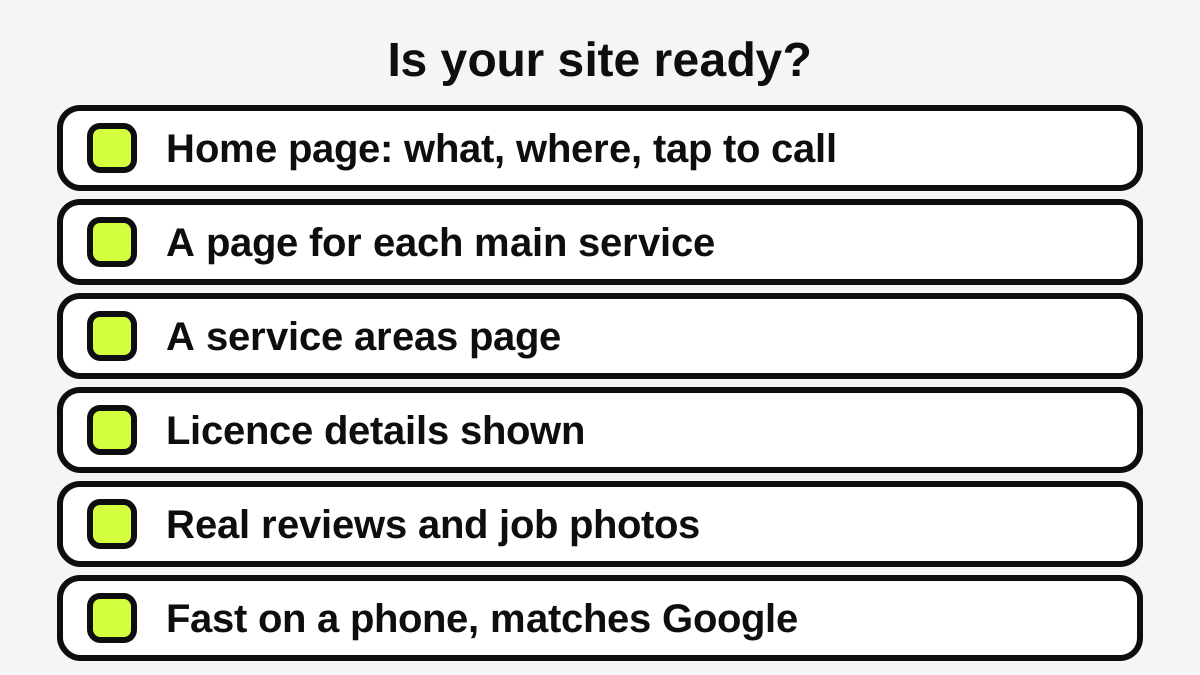
- Does your home page say what you do and where, with a phone number you can tap?
- Do your top three or four services each have their own page?
- Is there a page listing the suburbs or regions you cover?
- Are your licence details shown, as your state requires?
- Do you show real reviews and photos of finished work?
- Does the site load quickly and read well on a phone?
- Do your name, phone number and website match your Google Business Profile?
If you tick fewer than five, fix the gaps in order: services pages first, then service areas, then reviews. If you are planning a new site, our guide to what a small business website costs in Australia and the website cost calculator will help you set a budget. If you would rather have it done for you, see our website service.
Quick summary
A tradie website does not need to be big. It needs to answer the questions customers have before they call: what you do, where you work, whether they can trust you and how to reach you. Six core pages, built properly and kept accurate, will do more for your business than a long site with thin pages.
Ready for a website that brings in work?
Fixed prices, a private preview, and the balance only when you're happy.
Sources
- [1]Set up a business website · business.gov.au (Australian Government) · accessed 12 October 2026
- [2]SEO Starter Guide: The Basics · Google Search Central · accessed 12 October 2026
- [3]Local Business (LocalBusiness) Structured Data · Google Search Central · accessed 12 October 2026
- [4]Advertising · Queensland Building and Construction Commission (QBCC) · accessed 12 October 2026
- [5]Why marketers should care about mobile page speed · Think with Google · accessed 12 October 2026
- [6]Web Vitals · web.dev (Google) · accessed 12 October 2026
- [7]Guidelines for representing your business on Google · Google Business Profile Help · accessed 12 October 2026