Website builder or web designer: which should you choose?
Website builder or web designer? Compare cost, time, control and who owns your site, with a simple way to choose for your Australian small business.
By the Omniwink team · 13 October 2026 · 10 min read
Listen to the summary· 2 min
Use a website builder if you need a simple site, you can spare a few hours a month to write and update it, and most of your work comes from referrals. Hire a web designer if the site has to win new enquiries, show up in Google for several services or suburbs, or handle something specific like bookings or payments, and your time is worth more on paying jobs.
Neither is better in general. The Australian Government's business site describes both paths: with a cloud-based content management system (the kind website builders use) you can pick a built-in template, and if you host the site yourself you can instead pay a web designer to develop a custom design [1].
This guide gives you a way to choose. It covers what each option costs, what you really get, who owns the result, and the traps that catch small businesses. If you are working out a budget first, start with our guide to what a small business website costs in Australia.
What is the real difference between a website builder and a web designer?
A website builder is a paid subscription service. It usually bundles hosting, design templates and optional extras such as online shopping and search engine tools [1]. You choose a template, swap in your words and photos, and publish.
A web designer is a person or studio that plans and builds the site for you. That can mean a custom design, or a template set up properly and filled with content you did not have to write. You are paying for their time and experience.
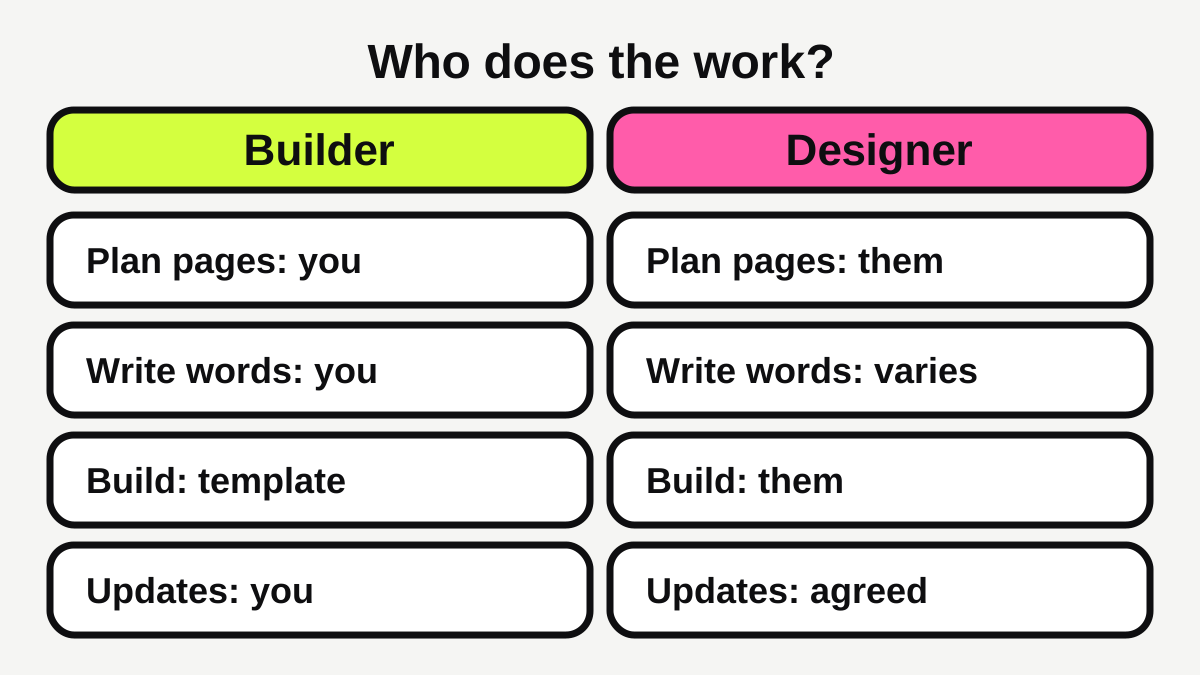
The tools are often similar. The real difference is who does the work: planning which pages you need, writing for them, setting them up on a phone-friendly layout and keeping them current. A builder hands you the tools. A designer does a good share of the work for you.
How much does each option cost?
Here are Australian figures from one published pricing guide [4].
| Website builder | Designer-built brochure site | |
|---|---|---|
| Build cost | $14.95 to $22.69 a month on an annual plan | $2,500 to $10,000 once |
| Hosting | Included | $6.95 to $29.95 a month |
| Domain (.com.au) | Included in the builder plan | $20 to $50 a year |
| Ongoing care | You do it | $90 to $2,000 or more a month if you pay for it [4] |
The builder price is for one builder's annual plan, so use it as a guide, not a rule. Wix, for example, offers a free plan with its own limits and shows paid plans in US dollars, with prices that vary by location and are for yearly subscriptions [6]. Its paid plans include a custom domain and hosting [6].
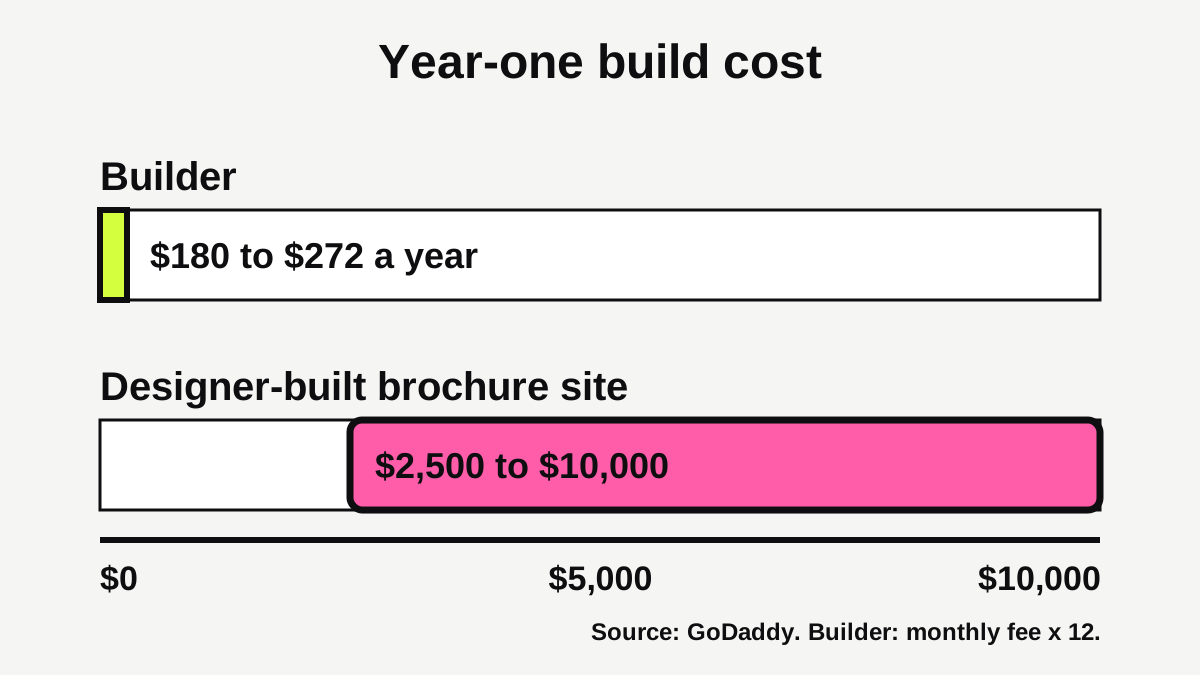
Two things to keep in mind. First, a low monthly fee is not a low total cost if the site never brings in work. Second, the designer figure is a build cost, and ongoing care is optional. Plenty of small sites run for years with only hosting and a domain to pay for. The same guide lists search engine optimisation services separately, at $300 to $3,500 a month, so treat that as an add-on you choose, not a cost of owning a site [4].
Our website cost calculator turns your pages and features into a ballpark figure.
When does a website builder make sense?
A builder suits you when most of these are true:
- You are starting out and want a simple, honest presence while you test the business.
- You enjoy writing, or at least do not mind it, and can set aside a few hours a month.
- Most of your work comes from referrals, so the site mainly confirms you are real and shows how to get in touch.
- You need a handful of pages, not dozens.
- The budget is tight right now.
A builder is also a fine choice for a site you expect to replace in a year or two. A tidy five-page site is enough to show who you are and how to get in touch.
What a builder will not do for you
It will not decide which pages you need, write about your services in words customers use, or work out which suburbs to name. That is still your job. Google's own guidance says a good page title is unique to the page, clear and concise, and describes what is on it [3]. A builder may turn your title into the right code for you [3], but you still have to write a good one.
Our guide to what pages a tradie website needs is a good checklist for planning a builder site, even if you are not a tradie.
When does a web designer make sense?
A designer is worth the money when the site has to do more than exist. Look at these signs:
- You want new enquiries, not just a place to send people who already know you.
- You want to appear in Google for several services or suburbs, which means a well-planned set of pages.
- You need bookings, quote forms, payments or an online shop that must work properly from day one.
- You have no time or patience for it, and an hour spent on the site is an hour not spent on paid work.
- You want a site that looks distinctly like your business, not like the template next door.
Google itself says that if you are short on time or not inclined to do the work yourself, you might consider hiring a professional [3]. That is general advice about search, but the principle applies to the whole site.
What to expect from a good designer
A good designer starts with questions, not a template. They ask who your customers are, what jobs you want more of and where you work, then plan pages to match. The site should work well on a phone, which matters because Google indexes and ranks sites using the mobile version of their content [9], and recommends responsive design, where the same page adapts to every screen [9].
They should also be able to show that the site is fast. Google's Core Web Vitals set "good" targets: the main content showing in 2.5 seconds or less, the page responding to a tap in 200 milliseconds or less, and layout shifting no more than 0.1, measured at the 75th percentile of page loads [8]. You do not need to understand the detail. Ask whether the finished site meets them, or run it through our free website scan. Our guide to small business website speed explains how to test it and what to fix.
Who owns your website?
This is where small businesses get caught, and it is the question most guides skip.
Your domain name
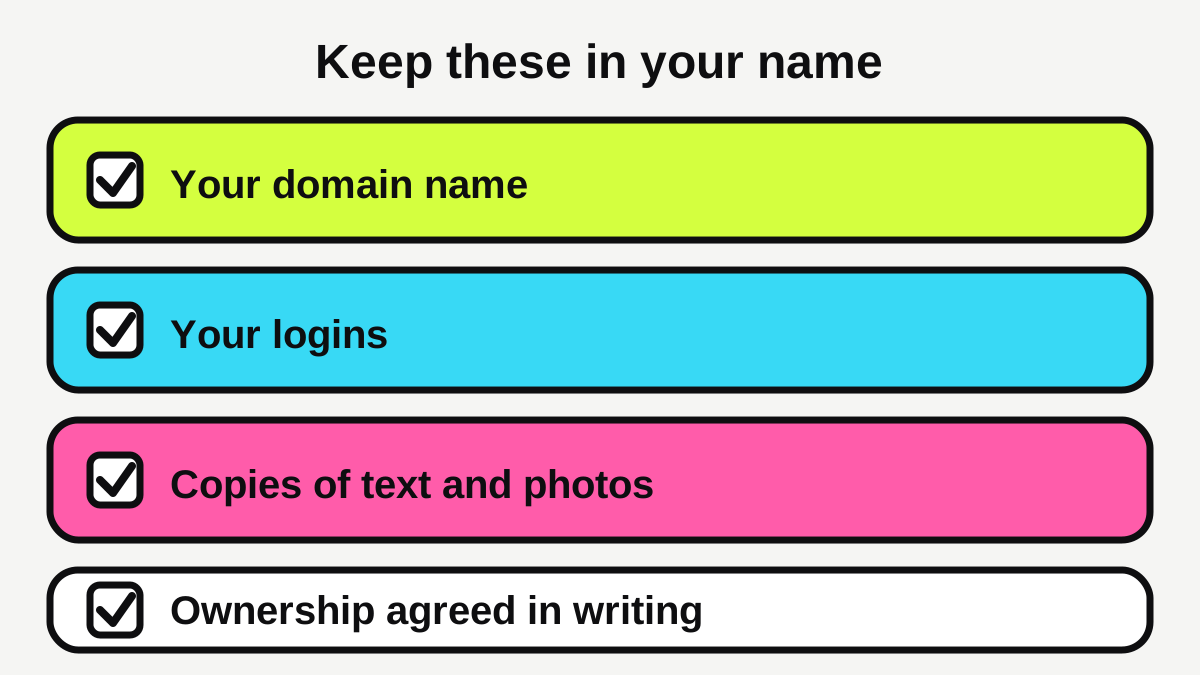
Your domain (the web address) should be registered to your business, not to the person who built the site. The .au domain administrator says the registrant should be the business that holds the name, and that a web developer can register it for you with your written permission but should enter your details, not their own [2]. Using your own contact details also means you receive the renewal notices [2]. The registrant details decide who holds the licence to the name [2].
For a .com.au name, you need to show a connection to Australia, usually through an ABN or ACN [2]. Ask whoever is setting up your site to put the domain in your business's name from day one.
The site itself on a builder
Builders work differently. Wix's help centre says content you build on Wix belongs to you, but the site itself needs to be hosted and operated on Wix's servers, because its technology does not support external hosting [5]. You can connect a domain bought elsewhere to a Wix site [5]. Other builders have their own terms, so read them. In practice, if you leave a builder, expect to rebuild the site rather than lift it across.
The work a designer makes
Under general Australian copyright rules, the person who creates a work is usually its first owner. The South Australian Law Handbook lists a few commissioned works, such as private photographs and portraits, where the person who commissions the work owns the copyright, and says that for other commissioned works the author owns it [7]. It also says copyright can be assigned in writing, and that the general rules can be changed by agreement [7].
In plain terms: do not assume you own the design, the text and the photos just because you paid for them. Ask for it in writing. This is general information, not legal advice, so for anything high stakes get a lawyer to check the contract.
What are the traps to avoid?
- Paying for features you will never use. A top-tier builder plan or a long feature list can cost more than a plain site that does the job.
- A designer who owns your domain or logins. If the relationship ends, you could be locked out. Hold the domain and keep the login details yourself [2].
- A "cheap website" with hidden monthly fees. Ask what the monthly charge covers, and what happens to the site if you stop paying.
- A site that looks great but loads slowly. Test it against the Core Web Vitals targets [8].
- No plan for updates. A site that is never touched falls out of date. Decide who will change your hours, prices and photos.
- A mobile site that is an afterthought. The government advises designing your site to work on mobiles as well as desktop computers [1].
How do you choose? A simple five-question test
Write down your answers to these.
- What must the site do? Confirm you exist, or win new customers?
- How many pages do you need? A few, or one per service and area?
- How much time do you have? A few hours a month, or none?
- What is the budget? A monthly fee, or a one-off project?
- How important is ranking in Google? Nice to have, or the main way you get work?
If most answers lean towards "confirm I exist, a few pages, I have time, small budget, nice to have", start on a builder. If most lean the other way, get quotes from designers.
What should you do next?
- Write down what the site must do and list the pages you need.
- Decide how many hours a month you can honestly give it.
- If you choose a builder, register your domain in your own business's name and keep the logins.
- If you choose a designer, get two or three quotes for the same brief and ask what is included, who owns the finished site and the domain, and what ongoing costs apply.
- Get ownership of the design, text and photos in writing.
- Before launch, test the site on a phone and check its speed.
If you would rather have it done for you, see our website service or our pricing. Cafes, salons and gyms with a simple offer will find ideas on our pages for cafes and salons.
Quick summary
A builder is the cheapest way to get online, and the right start for a simple site you will look after yourself. A designer costs more but buys you their time, planning and experience, and suits a site that has to bring in work. Whichever you pick, keep the domain in your own name and get ownership of your content in writing. Many businesses start on a builder and move to a designed site later, and that is a sensible path.
Ready for a website that brings in work?
Fixed prices, a private preview, and the balance only when you're happy.
Sources
- [1]Set up a business website · business.gov.au (Australian Government) · accessed 13 October 2026
- [2]com.au domain names · .au Domain Administration Ltd (auDA) · accessed 13 October 2026
- [3]SEO Starter Guide: The Basics · Google Search Central · accessed 13 October 2026
- [4]How much does it cost to build a website in Australia? · GoDaddy · accessed 13 October 2026
- [5]Exporting or Embedding Your Wix Site Elsewhere · Wix Help Center · accessed 13 October 2026
- [6]Wix Pricing Information · Wix.com · accessed 13 October 2026
- [7]Who owns copyright? · Legal Services Commission of South Australia (Law Handbook) · accessed 13 October 2026
- [8]Web Vitals · web.dev (Google) · accessed 13 October 2026
- [9]Mobile site and mobile-first indexing best practices · Google Search Central · accessed 13 October 2026