Is AI-written content bad for SEO? What Google says
Google does not ban AI-written content, but it does penalise unhelpful, mass-produced pages. What the rules say and how a local business can use AI safely.
By the Omniwink team · 5 November 2026 · 9 min read
Listen to the summary· 2 min
Is AI-written content bad for SEO? No, not by itself. Google says it rewards helpful, reliable content however it is made, and it does not mark AI writing down for being AI [1][4]. What it does penalise is content made mainly to manipulate rankings, such as lots of thin pages churned out with little human effort [3].
So can you use AI to write your website? Yes, as a helper. This guide covers what Google actually says, where small businesses get caught out, how to use AI safely for your site and Google Business Profile, and a simple checklist you can follow. If you are asking whether AI content hurts SEO for your business, the honest answer is that it depends on what you publish, not on the tool you used.
What does Google actually say about AI content?
Google's position is clear and has been since 2023. Its focus is on "the quality of content, rather than how content is produced" [4]. It states that using automation, including AI, to generate content with the primary purpose of manipulating rankings breaks its spam policies, but that not all use of automation, including AI generation, is spam [4].
It also says there is no shortcut: "Using AI doesn't give content any special gains. It's just content" [4]. So AI text is judged the same way as anything a person writes. If it is helpful and accurate, it can do fine. If it is generic and unreliable, it will not.
What is the "who, how and why" test?
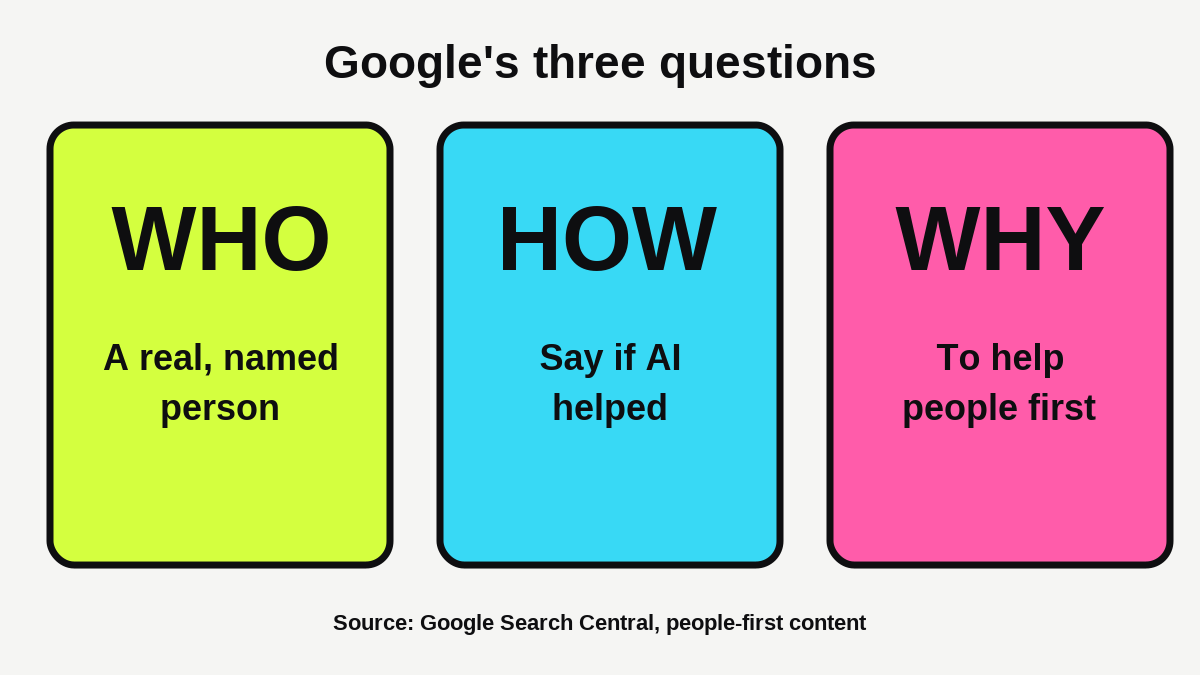
Google's guidance on people-first content asks three questions of any page [2]:
- Who created it? Readers should be able to see authorship where they would expect it, and Google says fake author identities, such as AI-generated headshots or invented credentials, are deceptive [2].
- How was it created? Explaining the process, including any use of automation, helps readers when they might reasonably ask [2].
- Why was it created? Google calls this perhaps the most important question: the answer should be to help people, not mainly to attract search visits [2].
Using AI mainly to manipulate rankings breaks Google's spam policies [2]. Using it to draft something genuinely useful that a person then checks does not.
What kind of AI content gets small businesses in trouble?
The risky pattern is volume without value. Google's spam policies define scaled content abuse as many pages generated for the primary purpose of manipulating search rankings, and list using generative AI tools to generate many pages without adding value for users as an example [3].
Google's own illustration is publishing 500 city pages from one AI template, each with only the city name swapped [1]. Local businesses are tempted by exactly this: one page per suburb, all saying the same thing. If that is your plan, read our guide to service area pages for suburbs you don't have an office in first. A few pages with real local detail beat dozens of copies.
Google also describes low-value content as main content created with "little to no effort, little to no originality, and little to no added value" [1]. And it says content produced at scale with generative AI and little human oversight or curation is considered to involve little to no effort [2].
Does it matter that AI can get facts wrong?
Yes. Google explains that "generative models don't retrieve facts, but predict a likely sequence of words" and says it is critical to manually fact check and review all AI-generated content for accuracy and trustworthiness before publishing [1]. The Western Australian Small Business Development Corporation gives the same warning: AI tools can make mistakes and use unreliable sources, and the output may not suit your business or audience [6].
For a local business, the mistakes that hurt are specific: a service you do not offer, a wrong price, a licence you do not hold, a suburb you do not cover. Fix those before anything goes live.
Is it safe to use AI for your website, Business Profile and posts?
It can be, if a person stays in charge. This table shows where AI helps and where it needs care.
| Job | AI can help with | You must do |
|---|---|---|
| Website service pages | A first outline or draft | Add your real jobs, prices, areas and photos, then fact check |
| Blog posts or guides | Headings, questions to answer, a rough draft | Answer from your own experience and name the author |
| Google Business Profile | Wording ideas for your description or posts | Make sure every claim is true and current |
| Replies to reviews and emails | A polite starting draft | Remove personal details first and personalise the reply |
| Social posts | Caption ideas and hooks | Use your own photos and your own voice |
What about customer privacy?
Be careful what you paste in. The OAIC advises that organisations do not enter personal information, and particularly sensitive information, into publicly available generative AI tools [5]. It explains that once information is entered it may be very difficult to track or control how it is used [5]. Before you use a tool, the WA small business body suggests finding out where your information may be stored, processed or shared and reading the terms and conditions [6].
In practice: write "a customer" instead of their name, and never paste health, financial or contact details. For more on tidy customer records, see our guide to CRMs for small business. If you also want AI to help with emails, our guide on using ChatGPT for customer emails safely covers what to keep out and how to check a draft. This is general information, not legal advice.
How do you make AI-assisted content that ranks?
The same things that make any page good. Google's SEO starter guide says content that is helpful, reliable and people-first, and that people find compelling and useful, will likely affect your search presence more than any other suggestion in the guide [7]. It also says not to copy others' content, and to write from your own knowledge of the topic instead [7].
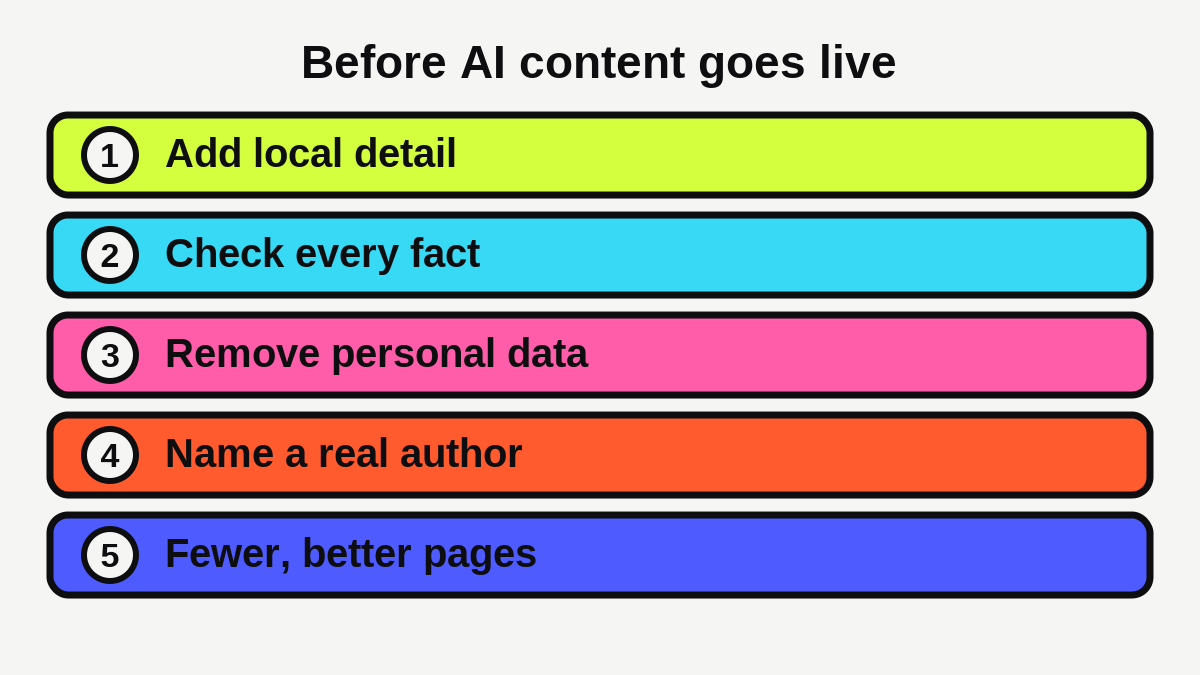
AI cannot supply your knowledge. You can. Here is what to add to any draft:
- Local detail. Suburbs you actually work in, council or regulator rules that apply, typical jobs.
- Real evidence. Your own photos, before and after shots, prices or price ranges you are comfortable with.
- Your answer. What you would tell a customer on the phone, including when you would not recommend the job.
- A named author. Google recommends accurate authorship where readers would expect it, and its 2023 post says AI should not be listed as an author [2][4].
- A note on how it was made, where it matters. Google suggests adding information on how content was created in a way that makes sense for your audience [1].
Google also says the signals that point to experience, expertise, authoritativeness and trust get extra weight on topics that affect health, finances, safety or well-being [2]. If you run a clinic, a brokerage or an accounting practice, have a qualified person review anything AI helps draft. Our guide to using AI in a regulated business covers the privacy and professional rules.
Should you publish fewer, better pages?
Almost always. A handful of strong pages, such as your main services, your service areas and a few honest answers to common questions, does more than a pile of thin ones. Our guide to what makes a local business website get enquiries shows what those pages need to do, and the local SEO guide for tradies shows where to focus first.
Do you need to tell readers you used AI?
Not always, but it can build trust. Google says disclosure matters most where a reader might reasonably ask, "How was this created?" [2]. It suggests asking whether the use of automation is self-evident to visitors and whether you explain why it was useful [2]. Its example is a news site adding a note that an article was drafted with AI assistance and reviewed by a staff editor [1].
For a local business, a simple approach works. Put a real person's name on your guides and blog posts. If you want to be open about the process, add a line such as "Drafted with AI tools and checked by our team." Never invent a staff member, a qualification or a photo to look more credible, because Google treats fabricated creator identities as deceptive [2].
What about AI images and product descriptions?
Google has specific rules for shopping feeds: AI-generated product titles and descriptions must be specified separately and labelled as AI-generated, and AI-generated images need IPTC DigitalSourceType metadata [1]. Most local service businesses will not sell through a product feed, but if you do, ask whoever manages your shop to check this.
Whatever the tool, the Australian rule is the same as for any advertising: what you publish must be true. If an AI draft says you are "licensed in all states" or "open 24/7" and you are not, the tool will not be the one answerable for it. Review each line as if you had written it yourself.
How do you tell if a draft is good enough?
Read it out loud and ask four questions. Could any competitor have published this word for word? Does it mention anything only you would know? Would a customer find the answer they came for in the first few lines? And is every claim something you could prove if asked? If the answer to the first is yes or the others no, keep editing. A page that passes is the kind of people-first content Google says it wants [2].
What to do next
- Pick one page that matters, usually your main service page or your Google Business Profile description.
- Draft it with AI if you like, but treat the draft as a rough idea, not the final.
- Rewrite it with your detail: your areas, your work, your photos and your real prices.
- Check every claim against what is true today. Cut anything you cannot back up.
- Strip personal information from anything you paste into an AI tool.
- Put a real name on it and publish it. Then come back in a few months and update it.
If you want help turning your knowledge into pages that actually get enquiries, our content service does the writing and checking for you, and the website cost calculator gives a rough idea of what a proper site costs. You can also see how your site looks to Google with a free scan, or browse industry examples such as websites for plumbers.
Want this done for you every weekday?
The Content Engine writes, designs and posts in your voice.
Sources
- [1]Google Search's guidance on using generative AI content on your website · Google Search Central · accessed 5 November 2026
- [2]Creating helpful, reliable, people-first content · Google Search Central · accessed 5 November 2026
- [3]Spam policies for Google web search · Google Search Central · accessed 5 November 2026
- [4]Google Search and AI content (Search Central blog, 8 February 2023) · Google Search Central · accessed 5 November 2026
- [5]Guidance on privacy and the use of commercially available AI products · Office of the Australian Information Commissioner (OAIC) · accessed 5 November 2026
- [6]Artificial intelligence · Small Business Development Corporation (Western Australian Government) · accessed 5 November 2026
- [7]SEO Starter Guide: The Basics · Google Search Central · accessed 5 November 2026