Online booking system for a small business in Australia
Choosing an online booking system for your small business in Australia: the features that matter, what it costs, privacy rules and how to get it onto Google.
By the Omniwink team · 9 November 2026 · 8 min read
Listen to the summary· 2 min

An online booking system lets customers pick a time that suits them, at any hour, and drops the appointment straight into your calendar. For most small businesses in Australia the best one is the simplest one that does four things well: syncs with your calendar, sends automatic reminders, lets customers cancel or reschedule themselves, and lets you set your own rules.
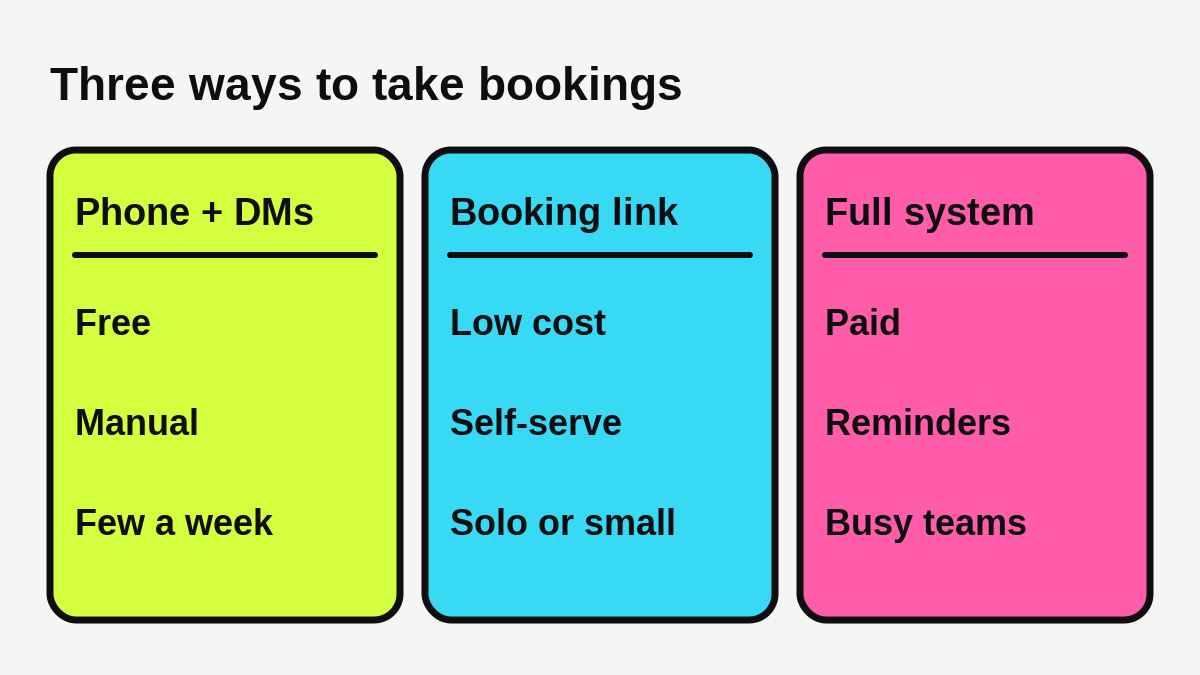
You need one when booking by phone and message is eating your day, when you lose customers who ring after hours, or when no-shows cost you real money. You don't need a big platform if you take a handful of bookings a week. This guide covers what to look for, how the costs work, the privacy rules, and how to get your booking link onto Google.
Do you actually need an online booking system?
Start by looking at how people book with you today. Phone calls, direct messages, text messages and email all work, until they don't.
A booking system is worth considering if:
- You answer the same "do you have anything Thursday?" message several times a day.
- You miss calls while you are with a customer, and some of them never ring back. Our guide to missed call text back covers a cheap first fix for that.
- You get double booked, or you keep forgetting who is coming when.
- People turn up late or not at all, and there is no easy way to remind them.
It is probably overkill if you take a few bookings a week and you already reply fast. A shared calendar and a clear process may be all you need. Replying quickly matters either way, and our guide to how fast to reply to new leads sets out a simple target.
What features should a booking system have?
Vendors love long feature lists. These are the ones that matter for a local business.
Calendar sync
The system should read your existing calendar (Google, Apple or Outlook) so a time you are busy is never offered. Two way sync is best: bookings appear in your calendar, and blocks in your calendar close the online slots.
Automatic reminders
This is the feature most worth paying for. A 2012 meta-analysis of SMS reminders for clinic appointments pooled the eight randomised trials and found an odds ratio of 1.48 for attending, meaning reminders were associated with higher odds that people turned up [3]. The review did not find a significant difference by clinic type or by when the reminder was sent [3]. Be careful with it: it looked at health clinics, not salons or tradies, and it is over a decade old, so treat it as a sign that reminders help, not a promise of how much.
Check that the reminders go out by text as well as email, and that texts are sent from an Australian number or sender name.
Self-service cancel and reschedule
If cancelling means ringing you, customers will not bother and simply won't show. A link in the reminder that lets them move or cancel frees the slot for someone else.
Your own rules
You should be able to set:
- how far ahead people can book, and how late they can book on the same day
- how long each service takes, and a buffer between appointments
- your opening hours, breaks and days off
- which services need a deposit, if any
Reasonable pricing and an exit
Ask what you pay per month, per staff member, per text message and per booking. Also ask whether you can export your customer list and appointment history if you leave. A system that holds your client list hostage makes switching expensive.
How much does an online booking system cost?
Prices change often, so check each provider's current page. What stays the same is the way they charge. Compare the total, not the headline.
| Pricing style | How it works | Watch out for |
|---|---|---|
| Free plan | No monthly fee, with limits | Limits on staff, bookings or reminders; upgrade prompts |
| Monthly subscription | A flat fee, often per staff member | Extra cost for text messages or more staff |
| Share of each booking | A fee on bookings made through their marketplace or payment tool | Fees that grow as you get busier |
| Built into other software | Booking comes with your website, CRM or point of sale | Locked in to that product |
Costs also hide in payment processing if you take deposits, in text message bundles, and in setup. Before you pay, run a free trial with real bookings from friends or regulars. If you plan to hire, check how the system handles more than one calendar. If you already use or are considering a CRM, our guide to what a CRM is and whether you need one helps you decide how booking and customer records should fit together.
How do you get your booking link onto Google?
Customers often find you on Google Search or Maps and want to book right there. You have two routes.
Route 1: add a booking link yourself
In your Business Profile, choose Booking in Google Search, or Edit profile in Maps, then Add link, enter the address and save [1]. Google says you can add up to 10 links per category, and if you have more than one you can mark one as "Business preferred" [1]. Make sure the link opens a page where booking takes one or two taps, not your home page.
Route 2: set up a booking provider
Google also lets you sign up a booking provider. Customers can then use Google accounts and products such as Calendar, and get appointment reminders [2]. Google says providers should show on your profile within a week, and that your provider may charge, so check before you sign up [2].
Two cautions. Google's page does not list eligibility rules, and availability of providers can differ by country, so check what is offered for your type of business [2]. And you can't remove a third-party booking provider from your profile yourself: you have to contact the provider [1].
Our Google Business Profile checklist covers the rest of your listing. Put the same booking link on your website, and on your link in bio page: our free link page tool makes one in minutes.
What are the privacy and messaging rules?
A booking system collects names, phone numbers and sometimes health or other sensitive details. This is general information, not legal advice.
Does the Privacy Act apply to you?
Business.gov.au says the Privacy Act 1988 applies to businesses with an annual turnover of more than $3 million, and also to some smaller businesses, such as private sector health service providers [4]. Covered businesses need to follow the Australian Privacy Principles, and businesses that are not covered can still follow them as good practice [4]. Personal information is any information that could be used to identify a person, and it must be destroyed or de-identified when you no longer need it [4].
If you run a clinic, such as a physio or dentist practice, assume you are covered. Ask any booking provider where data is stored, who can see it, and what happens to it when you cancel.
What if there is a data breach?
Under the Notifiable Data Breaches scheme, businesses covered by it must notify affected people and the OAIC when a breach is likely to cause serious harm [4]. The OAIC says the scheme covers businesses with an annual turnover above $3 million, private health service providers and some smaller operators [5]. Its four steps are contain, assess, notify and review, and an assessment of a suspected breach should be finished within 30 calendar days [5]. Choose a provider that tells you plainly how it handles breaches.
Can you text reminders to customers?
A reminder about an appointment someone just booked is different from marketing. Business.gov.au defines a commercial message as one that "offers, advertises or promotes" a business, good or service, and says commercial messages need consent, a clear sender and an easy opt out [6]. The page does not say whether booking reminders count, so keep reminders to the booking details (time, place, how to change it) and leave out promotions. If you also want to send offers, get clear permission first, keep a record of it, and give an easy way to opt out [6]. If your texts show a business name, the same page says branded sender IDs should be on the SMS Sender ID Register [6].
What about deposits and cancellation terms?
Write your terms in plain words and show them before the customer confirms. Services you sell must be carried out with due care and skill, and a "no refunds" sign cannot take away your customers' consumer guarantee rights [7]. If you are unsure what your terms can say, get advice from your state fair trading office or a lawyer before you charge a deposit.
How do you choose and set one up?
- Write down what you need. List your services, how long each takes, and who delivers them.
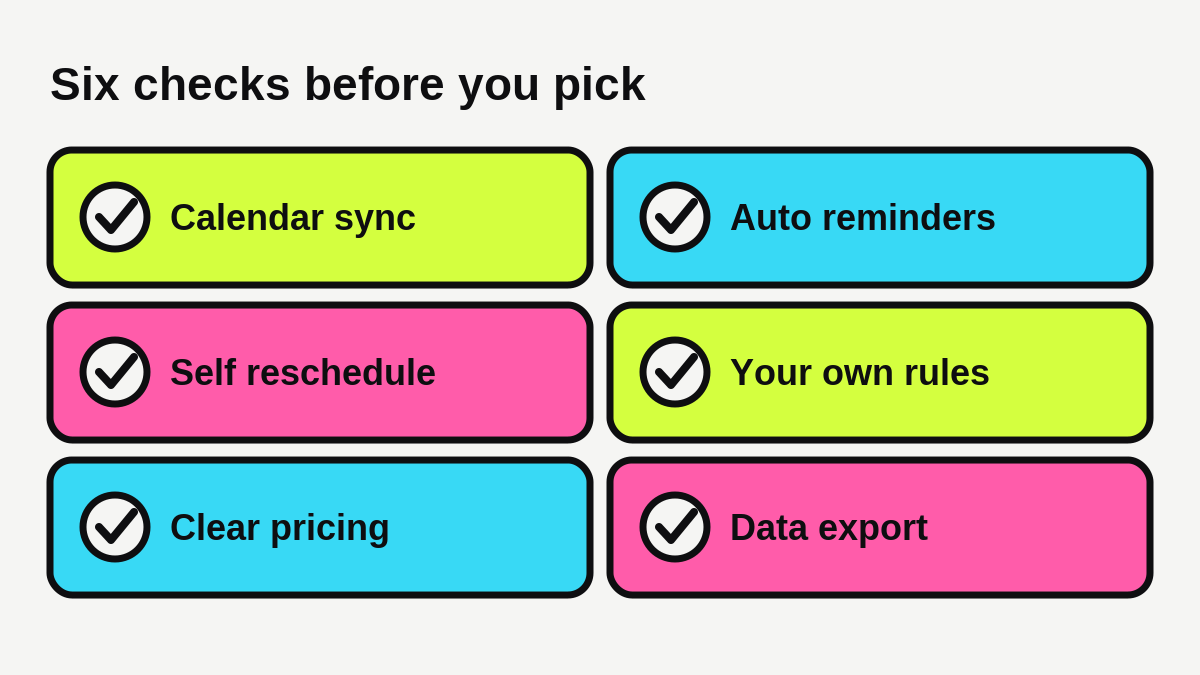
- Shortlist two or three systems that cover the six checks above, and ask about exporting data.
- Run a free trial with real bookings for a week or two.
- Set clear rules and wording. Opening hours, buffers, cancellation window and reminder text.
- Test the whole journey on your phone: find you on Google, tap the link, book, get a reminder, reschedule.
- Tell people. Add the link to your website, Google profile, social bios and email signature.
If you would rather not stitch this together yourself, our automations service can connect booking, reminders and follow-up for you.
What to do next
- Write down how people book with you today and where bookings get lost.
- Count your no-shows and late cancellations over the last month.
- Pick two or three booking systems and start free trials.
- Check each one for calendar sync, reminders, self reschedule, your own rules, clear pricing and data export.
- Add your booking link to Google [1], your website and your link in bio page.
- Run a free website scan to see whether your site and Google listing make booking easy to find.
Hand the admin to an AI employee.
Custom automations for the jobs that eat your week, quoted before we start.
Sources
- [1]Manage your local business links - Google Business Profile Help · Google · accessed 9 November 2026
- [2]Set up bookings through a provider - Google Business Profile Help · Google · accessed 9 November 2026
- [3]How Effective Are Short Message Service Reminders at Increasing Clinic Attendance? A Meta-Analysis and Systematic Review · Health Services Research (Guy, Hocking, Wand, Stott, Ali and Kaldor, 2012), via PubMed Central · accessed 9 November 2026
- [4]Protect your customers' information · business.gov.au (Australian Government) · accessed 9 November 2026
- [5]Quick reference guide for responding to data breaches · Office of the Australian Information Commissioner (OAIC) · accessed 9 November 2026
- [6]Promoting your business by email or text messages · business.gov.au (Australian Government) · accessed 9 November 2026
- [7]Australian Consumer Law and your business · business.gov.au (Australian Government) · accessed 9 November 2026